

How do I… Delivery problems
 Why a Message Did Not Reach Someone
MojoTxt records what happened to every message for every person. If someone says they didn't get a text, you can usually find the reason in a minute or two.
Check one person
- Make sure the right number is selected, if your account has more than one.
- Open
 People and search for their name or number. If they aren't there, they aren't on this number.
- Look at the top of their page. Opted out means they texted STOP. Blocked means someone at your church blocked the number. Messages can't reach them in either case.
- Under Subscriptions, check that they are subscribed to the list you sent to. If the button beside the list says Subscribe, they aren't on it.
- Open the actions menu at the top right of their page and choose View Message Log.
- Find the message in the list. If it isn't there, it was never sent to them. If it is, look at the Delivery column.
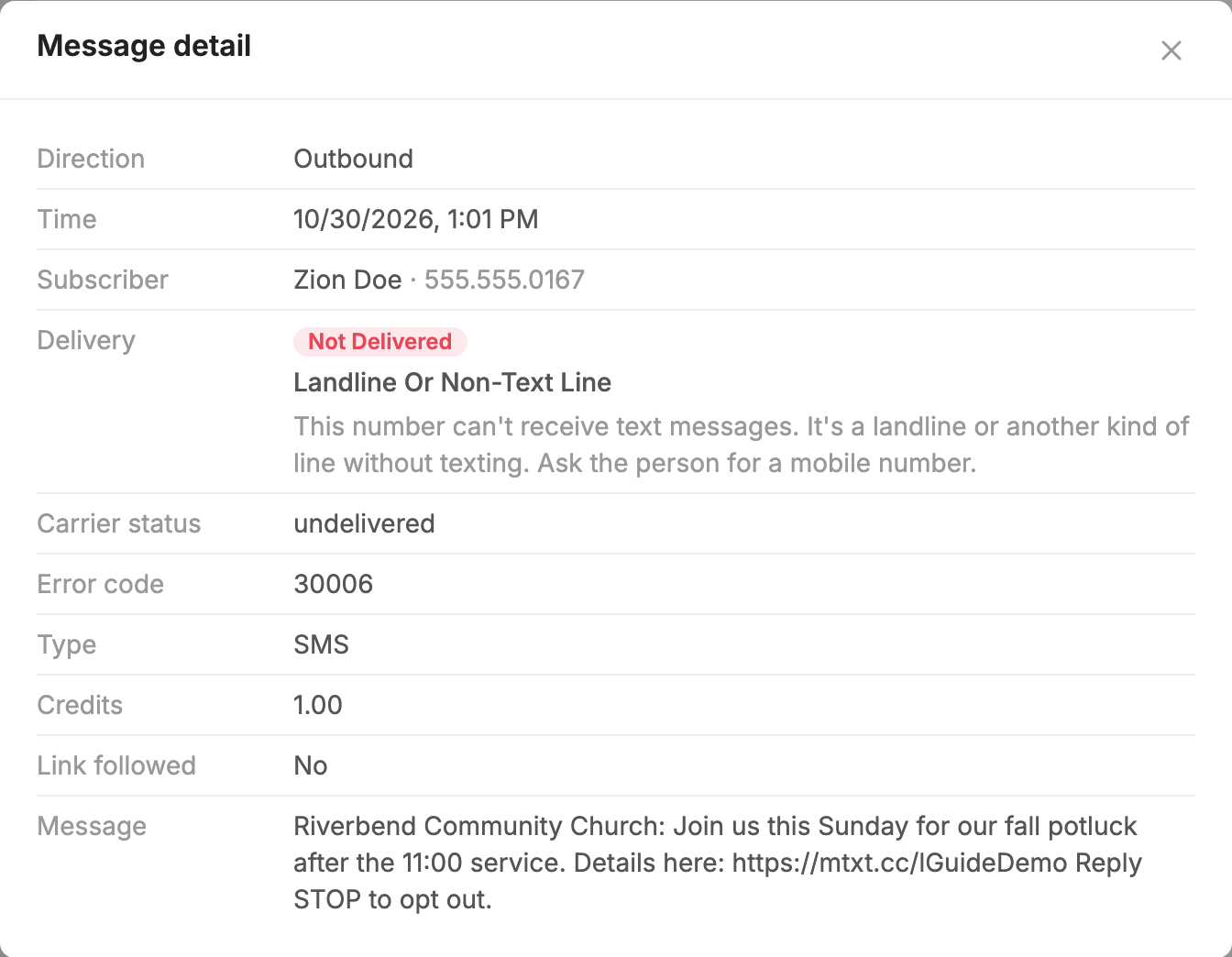
- Press Details on that row to read what happened and what to do next.
What the delivery status means
| Status | What it means |
|---|---|
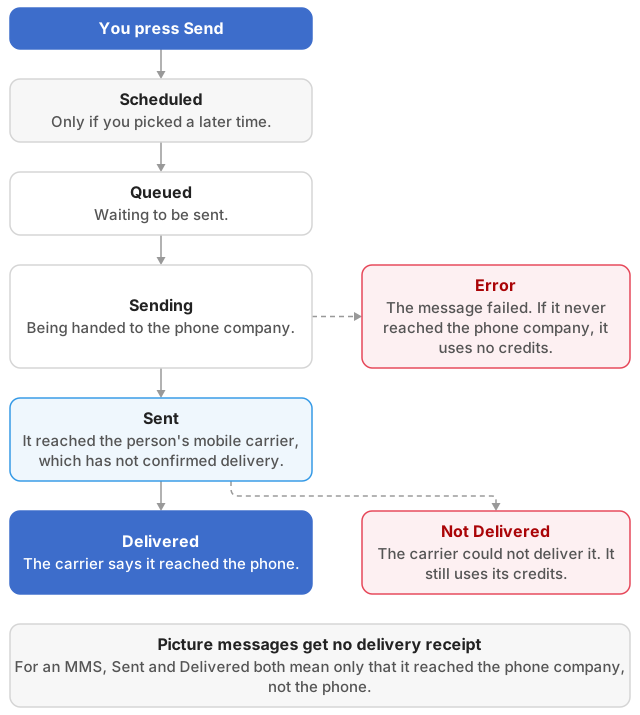
| Queued | The message is waiting to be sent. We release messages at a rate set by your registration, so a large send can take a while. If a message stays Queued for a long time, contact us. |
| Sent | The phone company has the message but hasn't confirmed delivery. |
| Delivered | The phone company says it was delivered. |
| Not Delivered | The phone company took the message but could not deliver it. |
| Error | The message failed. If it never reached the phone company, it uses no credits. |
Phone companies don't send delivery receipts for picture messages. For an MMS, Sent and Delivered both mean only that it reached the phone company.
If a message shows Sent or Delivered and the person didn't get it, the phone may have been off, out of coverage or roaming, or the phone company may have had a short outage. A phone company may also report a message as delivered even when it blocked it. If none of the other causes fit, see Fix Carrier Blocking.
Common reasons and what to do
| Reason shown | What to do |
|---|---|
| Landline Or Non-Text Line | Ask the person for a mobile number. |
| Number Deactivated or Invalid Number | Ask for their current number, then use Change Phone Number… in the actions menu on their page. |
| Phone Unreachable | Their phone may be off or out of coverage. Try again later. |
| Recipient Opted Out | They replied STOP. See Opting Back In After STOP. |
| Blocked By Recipient or Rejected By Phone | Ask them to check their phone's blocking and message settings. |
| Flagged As Spam | The phone company filtered the wording. Review the message for links, ALL CAPS and urgent requests for money. See Fix Carrier Blocking. |
| Link Rejected | Use the full web address instead of a public shortener like bit.ly. |
| Can't Receive Pictures | Send them a text-only message. |
| Picture Too Large | Attach a smaller image. See Send a Picture. |
| Number Not Registered or Registration Not Active | Your number's registration isn't complete. See  Carrier Registration. |
| T-Mobile Daily Limit or Daily Limit Reached | You reached the number of messages your registration allows in a day. Contact us if this happens often. |
| AT&T Sending Limit or Sending Limit Reached | You sent faster than the phone company allows. Send again a little later, and contact us if this happens often. |
For any other reason, hover over the status or press Details. The wording tells you whether the problem is on the person's side or yours.
Check a whole message
- Open
 Messages and go to the Sent tab.
- Press Delivery log on the message.
- Look at Delivery Rate. Press the number of failed or unconfirmed messages to list just those people.
- Press Details on any row to see the reason.
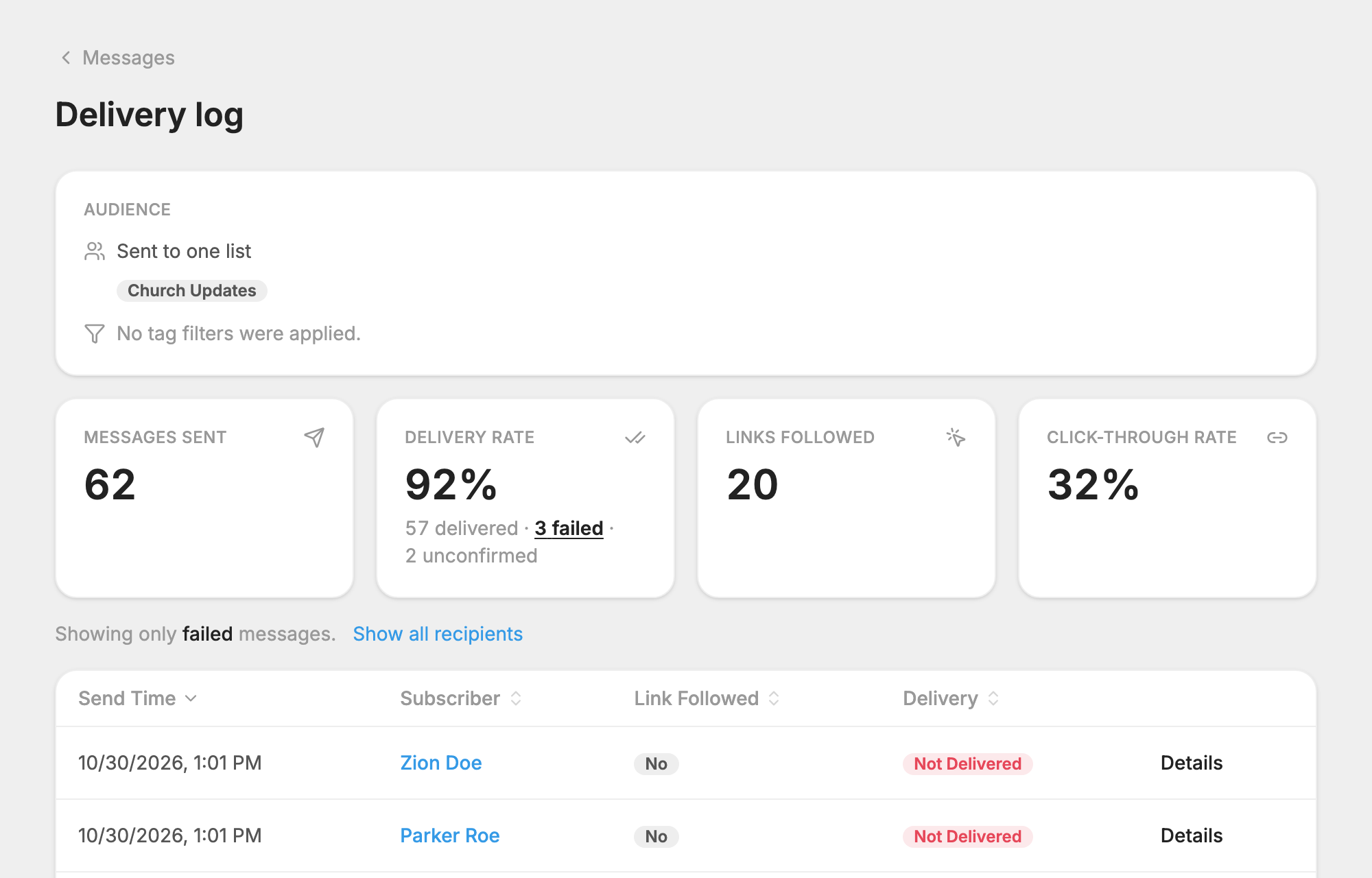
If a message shows Failed in your Messages list, the reason is printed under it. Pending Review means our team is checking it, and it sends automatically once approved. If a message says Rejected, please contact us.
People who were unsubscribed automatically
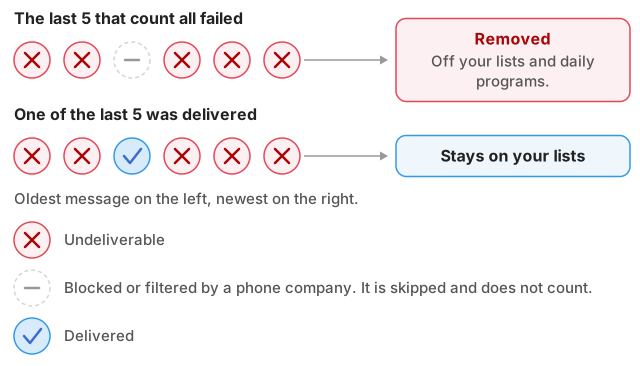
If Auto-unsubscribe is checked on the General tab of  Settings, someone is removed from your lists and daily programs after the last 5 messages to them come back undeliverable. Messages a phone company blocked or filtered don't count toward the 5.
To put them back:
- Open People. A Restore button appears, with a count, when anyone on this number was removed this way.
- Press Restore, then narrow it down by list or date if you want to.
- Press the button to restore them, and confirm.
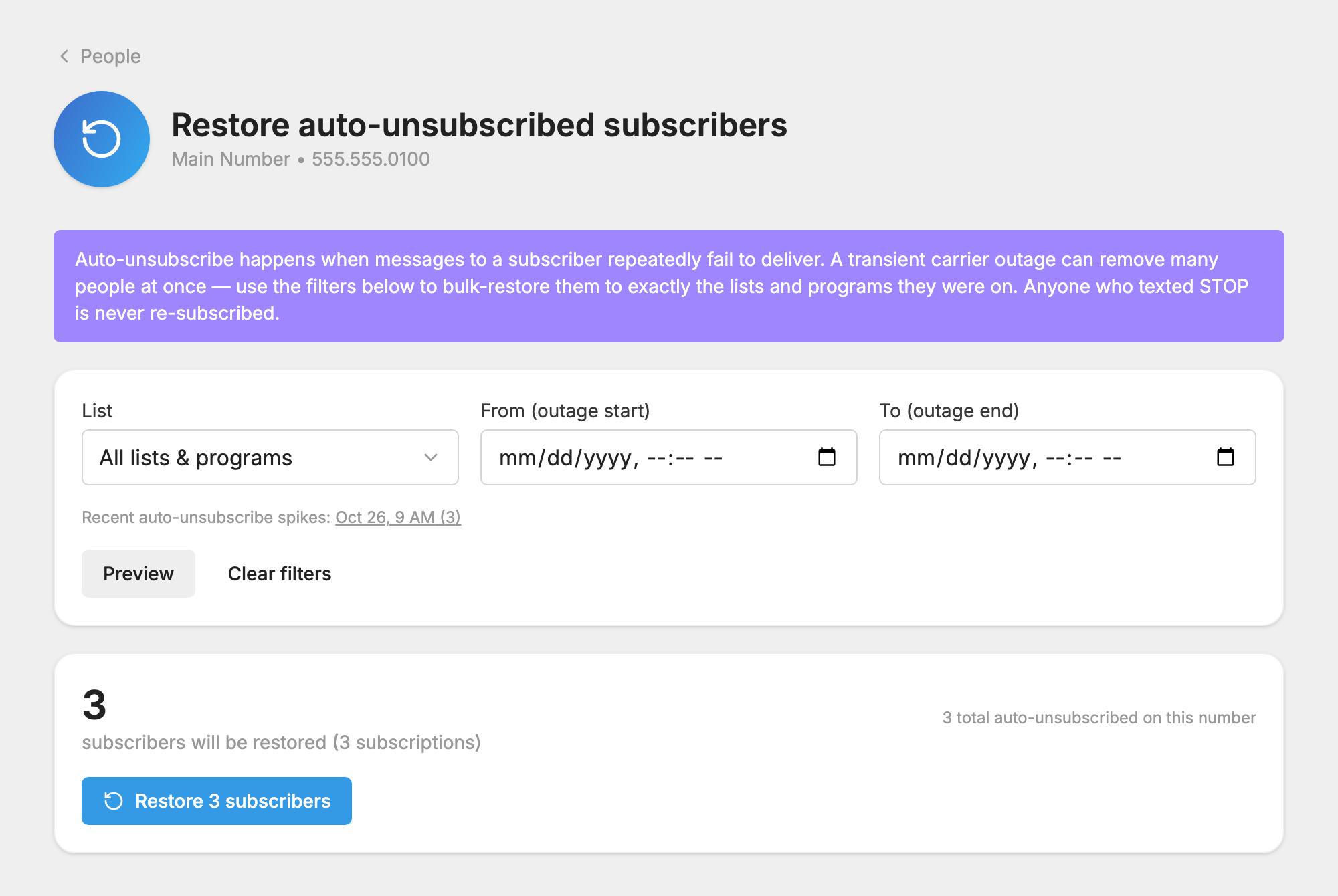
They go back on the same lists and programs they were on. Anyone who has texted STOP is skipped.
Other reasons
- The same person got two sends in a row. If an identical message went to someone moments before, the second is dropped and shows Duplicate Message. They have the first copy.
- They were added after the message sent. Only people on the list when a message goes out receive it.
- You're on a free trial with too few credits. See Credits and Message Length.
If the problem continues
- One person: confirm you have the right mobile number and that they can get texts from other people. Then send them a message from their page in People or from
 Conversations. If it arrives, the first problem was likely temporary. If it doesn't, follow Fix Delivery to One Person.
- A group of people: this can be a local outage at a phone company. If it lasts more than a day or two, the likely cause is blocking. See Fix Carrier Blocking.
Still having trouble? See Contact Support.
