

How do I… Sending messages
 Send a Picture
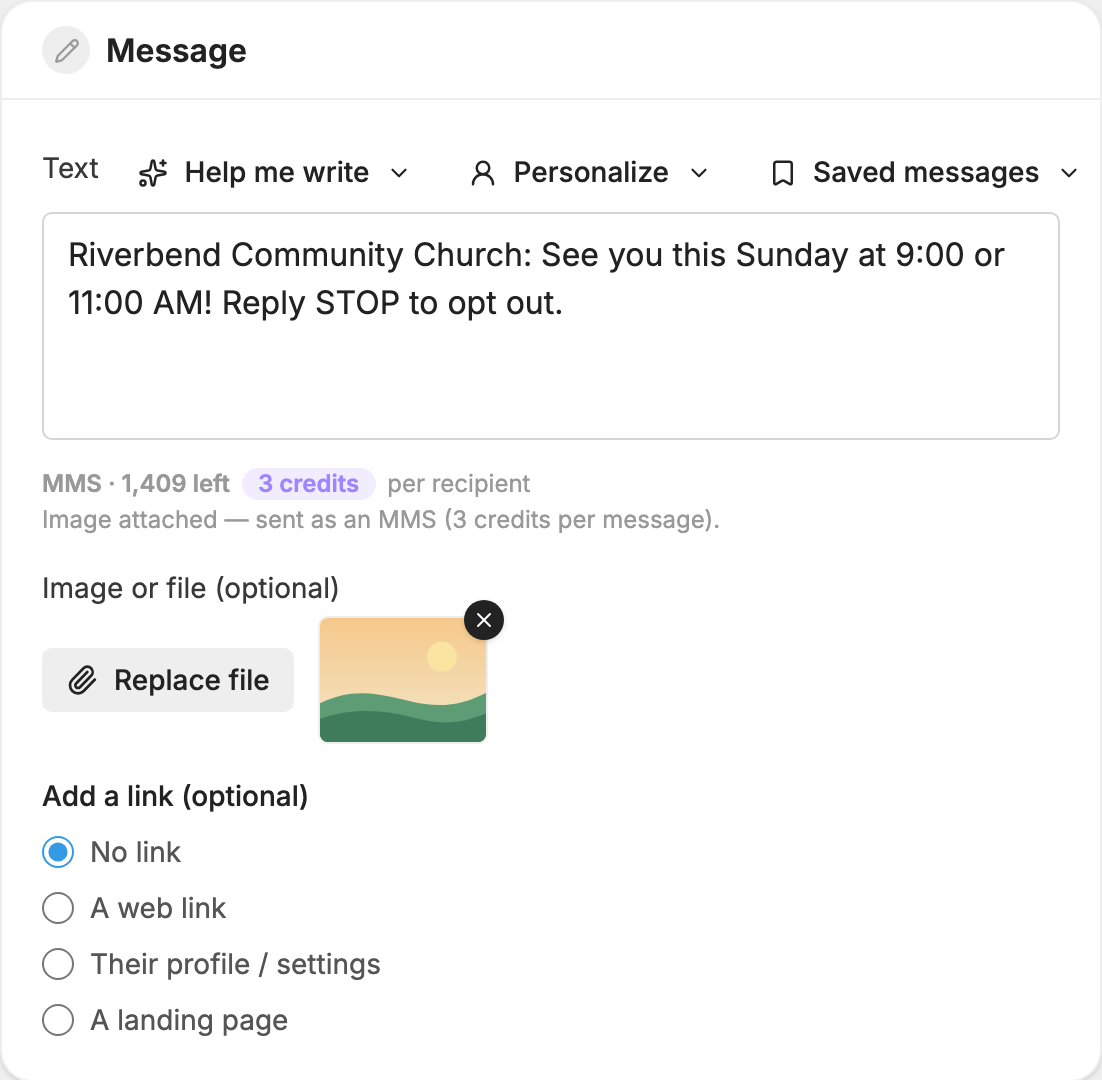
Attach a picture to any message and it goes out as an MMS, also called a picture message. There is no setting to turn on. Attaching the picture is all it takes.
Attach a picture
- Open Messages and press New message.
- Choose who gets the message and write your text. The text is optional when you attach something.
- Under Image or file (optional), press Attach image or file and choose the file.
- Wait for the preview. To swap it, press Replace file. To remove it, press the X on the preview.
- Under Send a test first, press Send Test to see it on your own phone.
- In the Send box, press Send message.
You can also attach a file in  Automations and
 Auto-Responders, in
 Conversations with the paperclip button, and when you message people from the People page.
What you can attach
- Pictures: JPEG, PNG or GIF
- A PDF
- A contact card (.vcf)
- An audio file: MP3, M4A, WAV or AMR
Video and other file types can't be sent.
Attachments can be up to 500 KB, which is the phone companies' limit. Pictures are shrunk for you when you upload them, so a large photo is fine. A PDF, contact card or audio file can't be shrunk, so choose a smaller file if it's too big.
If your number has a contact card, an Attach our contact card button appears beside Attach image or file. See Phone Number Settings.
What it costs
A message with a picture or file uses 3 credits per person, however short the text is. If you send one to a list of 100 people, it uses 300 credits. See Credits and Message Length.
You don't need a picture to send a long message. Past the extended SMS size, MojoTxt sends your text as an MMS automatically, up to 1,500 characters.
Send something bigger
For a video or anything over the size limit, use a link instead:
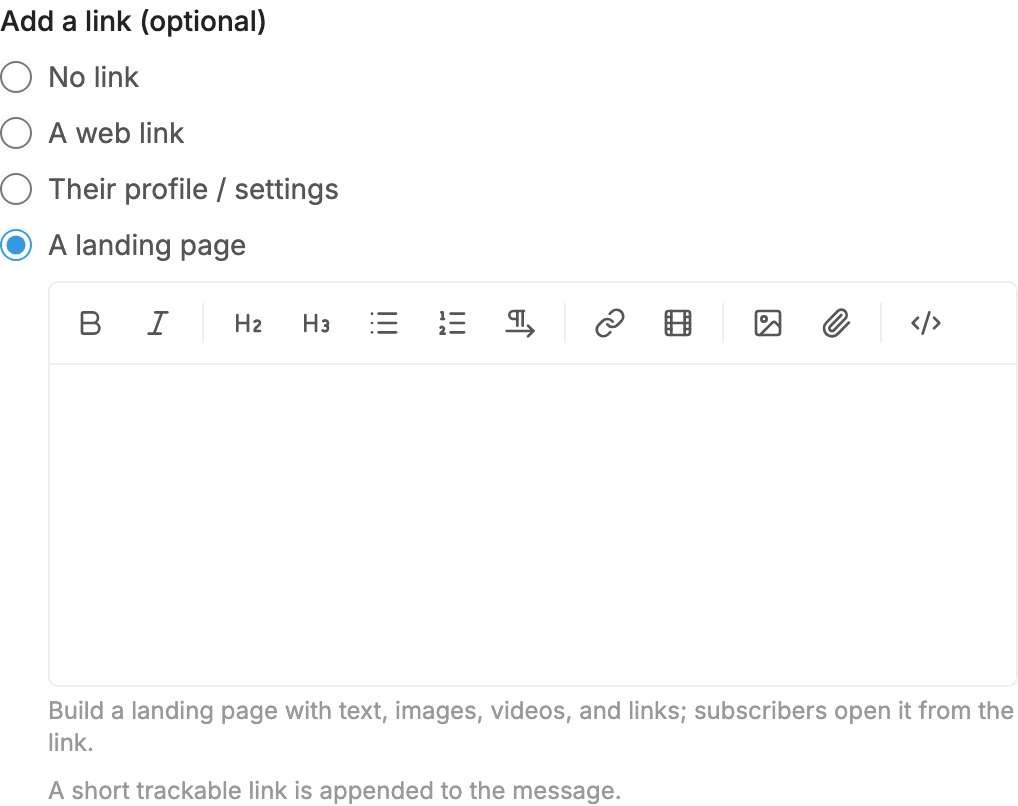
- Under Add a link (optional), choose A landing page.
- Build the page with text, images, videos and links.
People open the page from a short link added to your text. If the video is already online, you can choose A web link and paste its address.
Get pictures from people
People can send pictures to your number. If you have Conversations turned on, you see them in your conversations. Each picture message you receive uses 1 credit. Regular text messages you receive are free.
If the picture doesn't arrive
- Phone companies don't send delivery receipts for picture messages, so Delivered only means it reached the phone company.
- Some phones and phone plans don't take picture messages even when regular texts work. If the Message Log shows Can't Receive Pictures, send that person a text-only message.
- If you don't see Image or file (optional) at all, this number can't send MMS.
See Why a Message Did Not Reach Someone for more.
