

How do I… Credits and pricing
 Credits and Message Length
A credit is how MojoTxt counts the messages you send. Credits are counted per person, so one text to 40 people uses 40 credits, and a longer text to those 40 people uses more.
How many credits a message uses
You don't choose the message type. MojoTxt works it out from what you typed and attached, and the counter under the message box shows you the result.
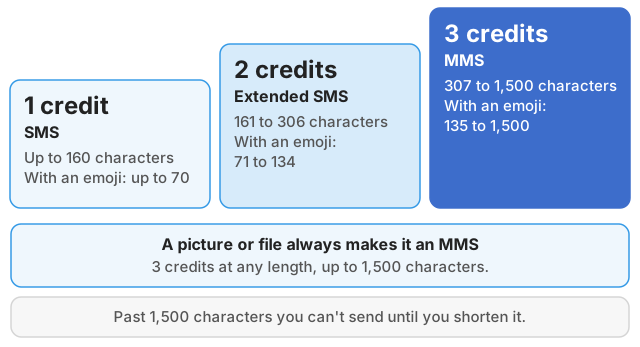
| Message type | Plain text | With an emoji or special character | Credits per person |
|---|---|---|---|
| SMS | Up to 160 characters | Up to 70 characters | 1 |
| Extended SMS | 161 to 306 characters | 71 to 134 characters | 2 |
| MMS | 307 to 1,500 characters | 135 to 1,500 characters | 3 |
| MMS with a picture or file | Up to 1,500 characters | Up to 1,500 characters | 3 |
- SMS is a standard text message.
- Extended SMS is two texts joined together. The two parts hold 306 characters, not 320, because each part gives up a little room to hold them together.
- MMS is a picture message. A long message with no picture is also sent this way, with text only. An MMS has used 3 credits since November 1, 2026. Credits are charged when a message sends, not when you schedule it.
Past 1,500 characters the counter turns red and you can't send until you shorten the message.
Some numbers can't send MMS. On those numbers the extended SMS size is the limit, and the counter turns red if you go past it.
What changes the count
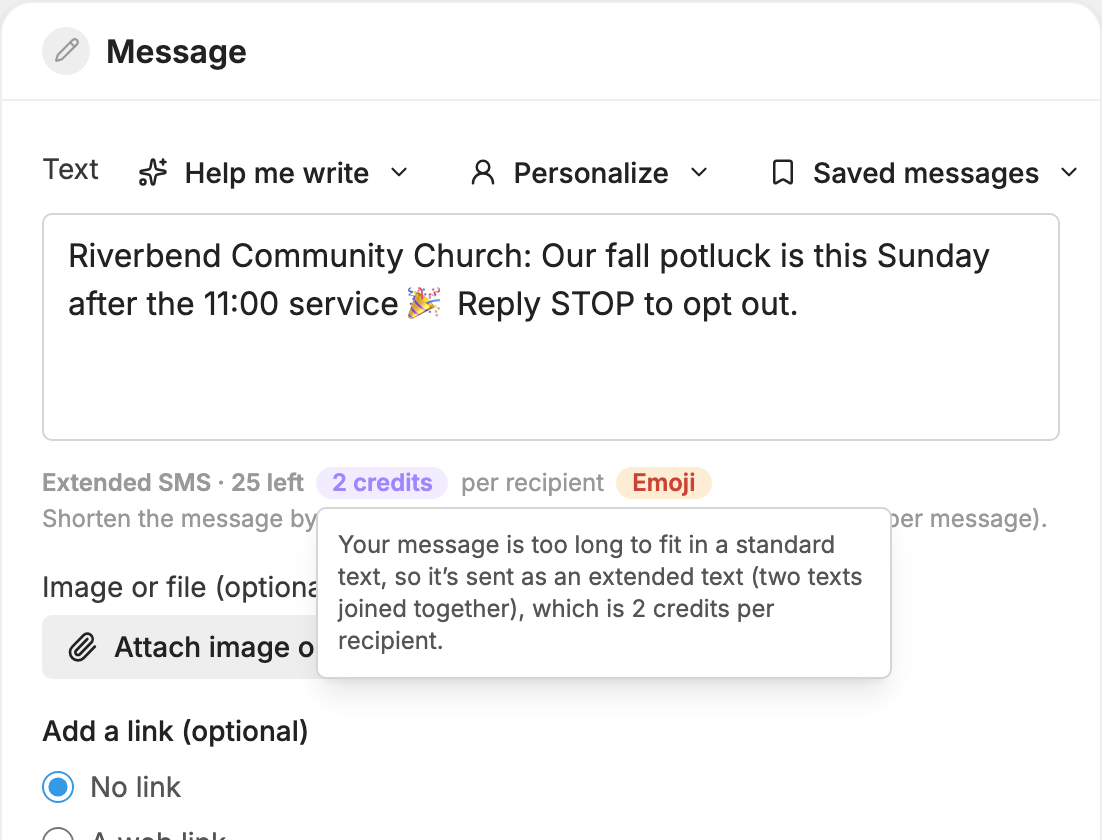
Emoji and special characters. One emoji anywhere in a message moves the whole message to the shorter limits in the table, and most emoji count as two characters. Some accented letters do the same thing. In Spanish, for example, é and ñ are fine, but á, í, ó and ú lower the limit. When this happens, an Emoji or Special characters pill appears next to the credit count. Tap it for a short explanation, or remove those characters to get the room back.
Curly quotes and long dashes. These are changed to plain ones as you type or paste, so text copied from Word or an email doesn't lower your limit.
A few plain characters count as two: ^ { } [ ] \ | ~ and €.
Name tags. The Personalize menu above the message box adds {first name} or {last name}, and each person gets a copy with their own name. A long name can push that person's copy over a limit, so that copy costs more than the others. The counter measures the longest name in your audience, and the Send box tells you how many people have a longer name and what their copy costs. If someone has no name on file, a word you choose goes in its place. It starts as "there" for a first name and "church" for a last name.
Links you add. When you choose anything other than No link under Add a link (optional), a short trackable link is added to the end of the message. The counter already includes the room for it.
See the estimate before you send
- Open
 Messages and press New message.
- Type your message. The counter under the box shows the type, the characters left and the credits per person, such as "Extended SMS · 120 left, 2 credits per recipient".
- Tap or hover over the credit pill to see why the message costs that much.
- If the message went up a level, the line under the counter tells you how many characters to remove to drop back down.
- Choose who gets the message. The Send box then shows Estimated credits for this message and your Credits available.
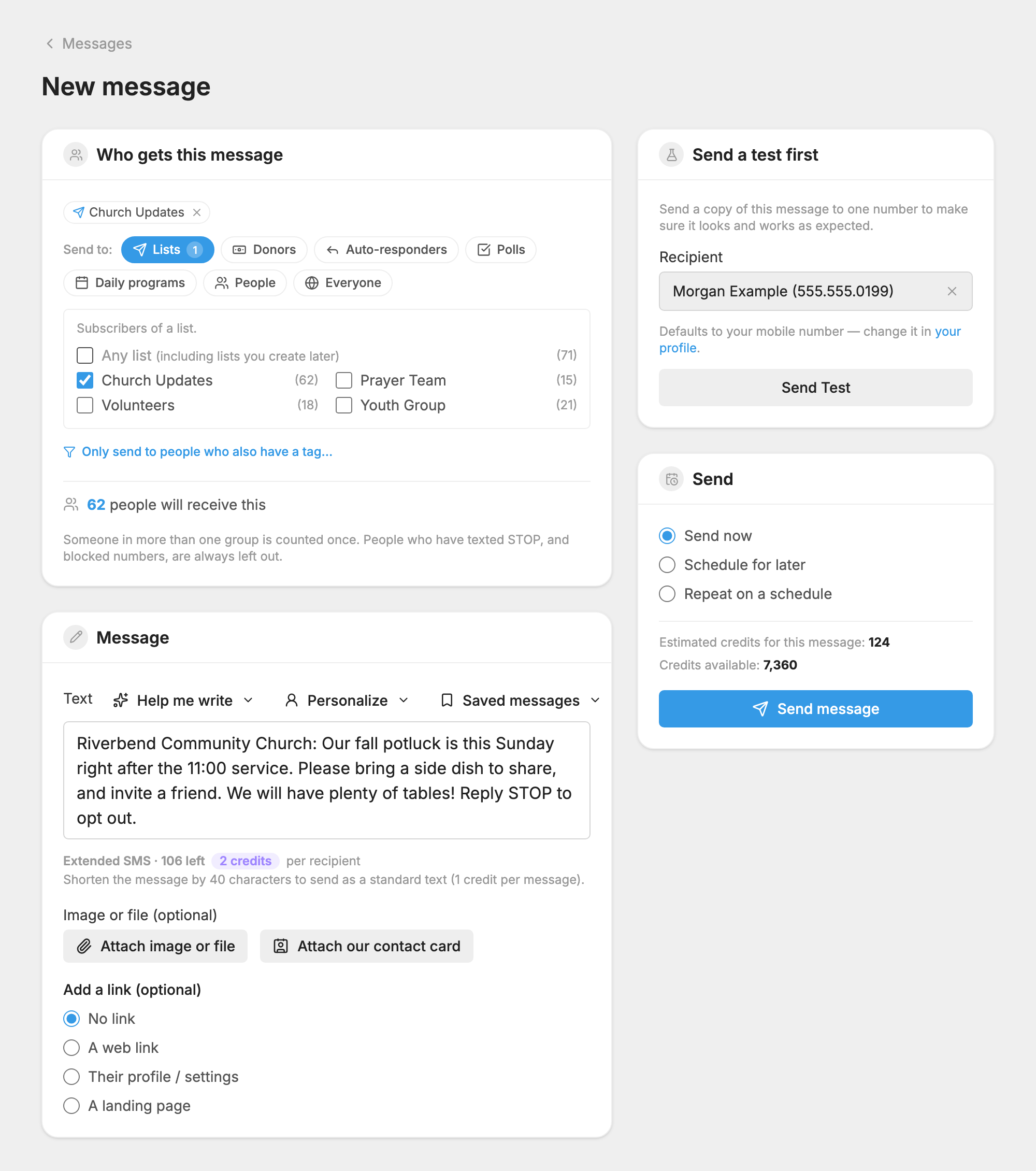
The estimate counts someone in more than one group once, and leaves out people who texted STOP and blocked numbers.
After a message sends, the  Message Log has a Credits column showing what each message used.
Replies and failed messages
- A text reply to you is free. A picture sent to your number uses 1 credit.
- Automatic replies use credits the same way as any other message. That includes welcome messages, keyword replies and the reply after a poll vote.
- A message MojoTxt could not hand to the phone company uses no credits. Its status is Error and its Credits column shows 0.
- A message the phone company accepted but could not deliver still uses its credits. Its status is Not Delivered.
See your balance
Your dashboard shows Message Credit Usage to anyone with access to account settings: your Rollover Credits, Credits Purchased, credits used on this number and on your other numbers, and your Credit Balance. All the numbers on your account share one balance.
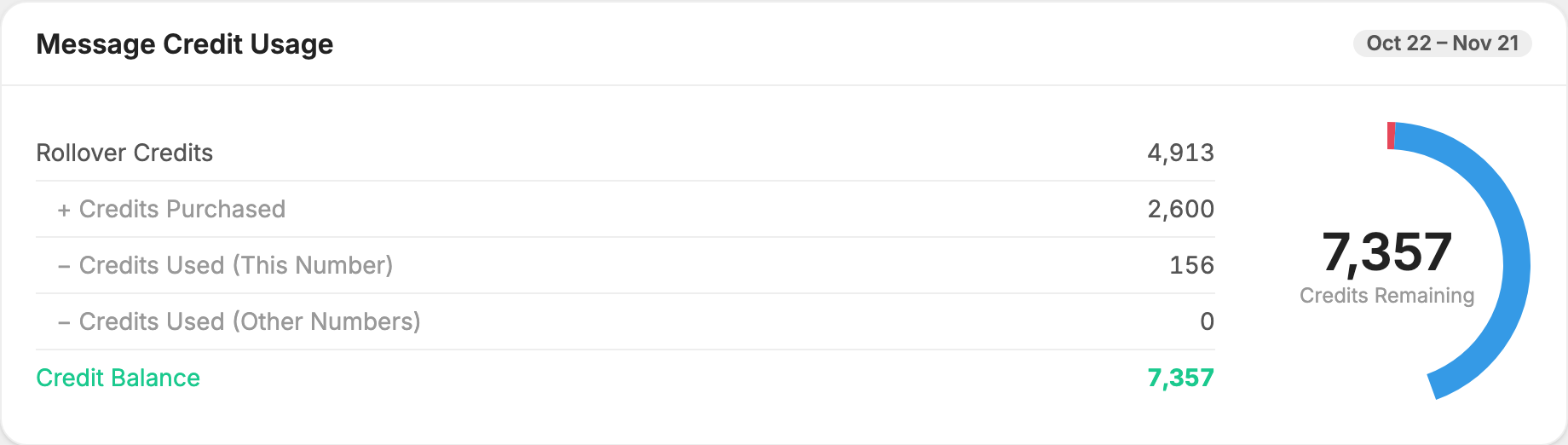
Your plan's credits are added at the start of each billing cycle. Unused credits carry over to the next billing period and show as Rollover Credits. There is no limit to how many you can build up.
What happens when you run out
On a paid plan your messages keep sending. The extra messages are billed at the end of your billing cycle, at the Additional messages rate on your plan. The Send box warns you before you send.
Your card is charged automatically. If the charge fails, we email you and try again every two days. If it is still failing after about 10 days, your account is closed. See If a payment fails.
On a free trial, you can't send a message that costs more credits than you have left. Remove some recipients or upgrade.
To add more, see Get More Credits. For plans and other costs, see What MojoTxt Costs.
