

Tools
 Tools
Tools are the things your MojoTxt number can do. Most of them start when someone texts a keyword to your number. You'll find them under Tools in the left-hand menu.
 Subscription ListsLet people text a keyword to join a list, then message everyone at once.
 ConversationsRead and answer the texts people send you.
 DonationsTake gifts by text or on a giving page.
 Auto-RespondersAnswer a keyword with an instant reply.
 Daily ProgramsSend a series of daily messages people sign up for.
 Live PollsAsk a question and watch the votes come in.
What a keyword is
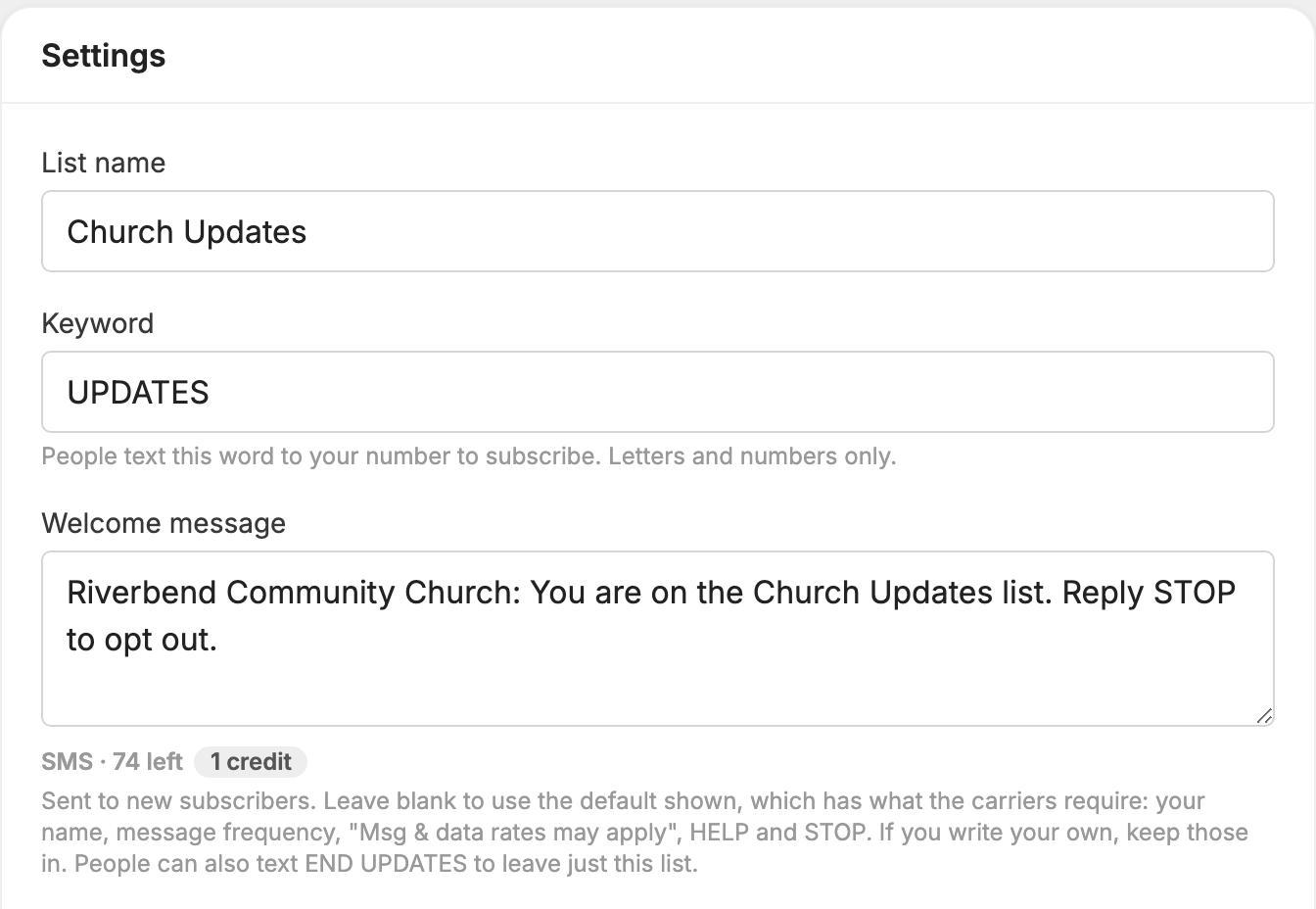
A keyword is a word people text to your number to start something: join a list, make a gift, get an automatic reply, or sign up for a daily program. If your list's keyword is UPDATES, someone texts UPDATES to your number and they're on the list.
- Capital letters don't matter. UPDATES, updates and Updates are the same keyword.
- The keyword only has to come at the start of the text, and spaces are ignored. "UPDATES please" counts as UPDATES.
- If two keywords could match, the longer one wins. A text of GIVEBACK goes to the GIVEBACK keyword, not GIVE.
Which tools use keywords
| Tool | What the keyword does | Button that creates it |
|---|---|---|
 Subscription Lists |
Adds the person to the list | New List |
 Donations |
Starts a gift to that fund | New Fund |
 Auto-Responders |
Sends your automatic reply | New Auto-Responder |
 Daily Programs |
Signs the person up for the program | New Daily Program |
 Conversations and
 Live Polls don't need a keyword. A text that isn't a keyword or a built-in word goes to Conversations, and people vote in a live poll by texting a letter.
To change a keyword later, open the list, fund, auto-responder or program, change the Keyword box on its settings page, and click Save changes.
Keyword rules
- Use letters and numbers only, with no spaces or symbols.
- Keep it to 20 characters or fewer.
- Each keyword can be used once on a number, across all the tools. If a word is taken, you'll see a message saying it's already in use on this number.
- You can't use STOP, UNSUBSCRIBE, END, STOPALL, BLOCK, CANCEL or QUIT. Mobile carriers require us to handle these as requests to stop texting.
- You can use START, UNSTOP or UNBLOCK. Someone who has opted out and texts that word is opted back in first, and doesn't get your keyword.
- You can use words like HELP, JOIN, GIVE, DONATE or SETTINGS. Your keyword then takes the place of the built-in reply for that word.
Alternate keywords
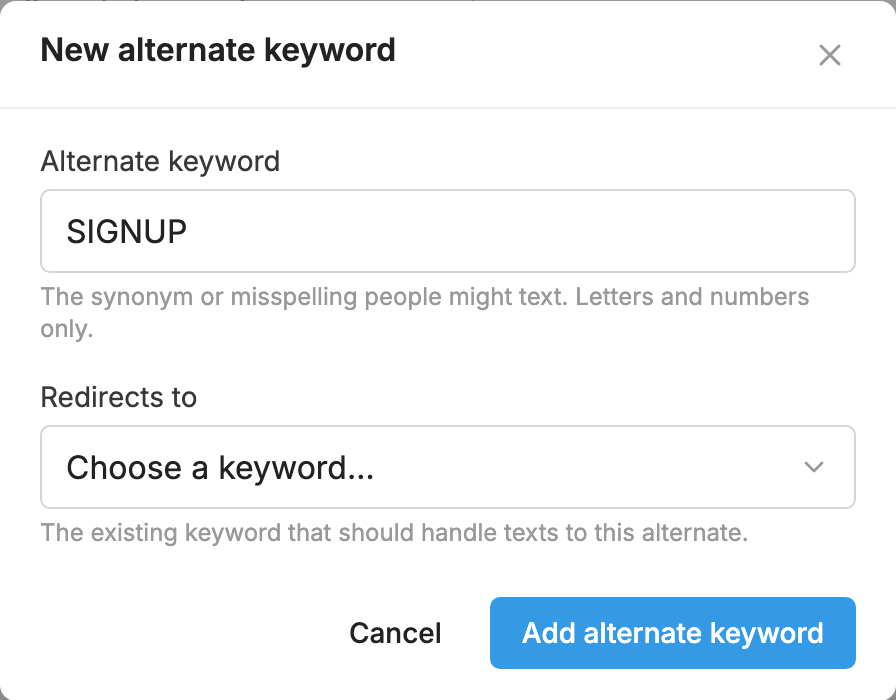
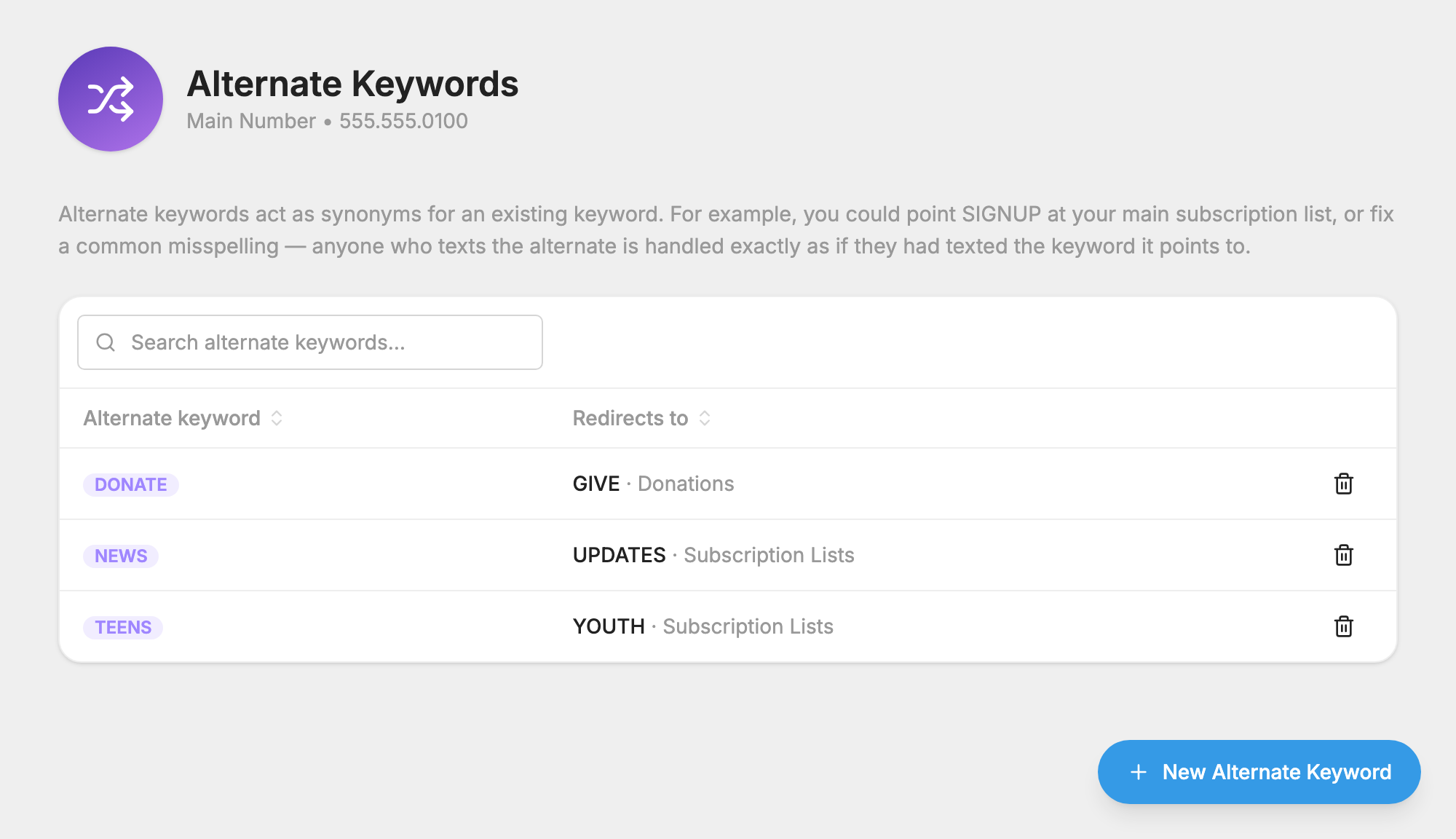
An alternate keyword is a second word that does exactly what another keyword does. Use one for a synonym, or for a word people often misspell. If your list's keyword is UPDATES, you could add SIGNUP as an alternate, and anyone who texts SIGNUP is handled as if they had texted UPDATES.
- Click
 Alternate Keywords under Management in the left-hand menu, or open Alternate Keywords.
- Click New Alternate Keyword.
- In Alternate keyword, type the word people might text.
- In Redirects to, choose the keyword it should act as.
- Click Add alternate keyword.
A few things to know:
- You need at least one other keyword on the number first, because an alternate has to point at something.
- An alternate can't point at another alternate.
- An alternate follows the same keyword rules, and it uses up that word on your number.
- Alternates can't be edited. To change one, click the trash icon beside it and create a new one.
- If you delete the keyword an alternate points to, the alternate shows (deleted) on this page. Anyone who texts it gets: "The keyword you used is no longer valid. Reply HELP for a list of options or STOP to opt-out."
Words people can always text
These work on every MojoTxt number without any setup.
| They text | What happens |
|---|---|
| STOP, END, UNSUBSCRIBE, CANCEL, QUIT, STOPALL or BLOCK | Everything on your number stops. They're taken off every list and daily program, their scheduled gifts are canceled, and you can't text them any more. |
| STOP, END or UNSUBSCRIBE followed by a keyword, such as END UPDATES | They leave just that list or program. For a donation keyword, the scheduled gift to that fund stops. |
| STOP DONATIONS, STOP MY DONATIONS or STOP GIVING (END and UNSUBSCRIBE work too) | All their scheduled gifts on your number stop, and they keep getting your other texts. If that word is a keyword on your number, the keyword rule above applies instead. |
| START, UNSTOP or UNBLOCK | They're opted back in. They aren't put back on any lists. See Opting back in after STOP. |
| HELP | They get your help message, which you can change on the  Settings page. |
| SETTINGS or PROFILE | They get a link to a personal page where they can update their details and subscriptions. |
| SUBSCRIBE, JOIN or SUBSCRIPTIONS | They get a link to manage their subscriptions. |
| GIVE or DONATE | They start a gift, if your number has a donation fund. |
| DONATIONS | They get a link to their gift history and scheduled gifts, if your number has a donation fund. |
| WHO | With conversations turned off, they're told who is texting them. With conversations on, it goes to your inbox like any other message. |
"STOP please", "STOP now" and similar texts also stop everything, unless the second word happens to be one of your keywords. So do phrases such as "please stop" or "please remove me", unless the person is in a conversation with you.
What happens to an incoming text
MojoTxt checks each text in this order and stops at the first match.
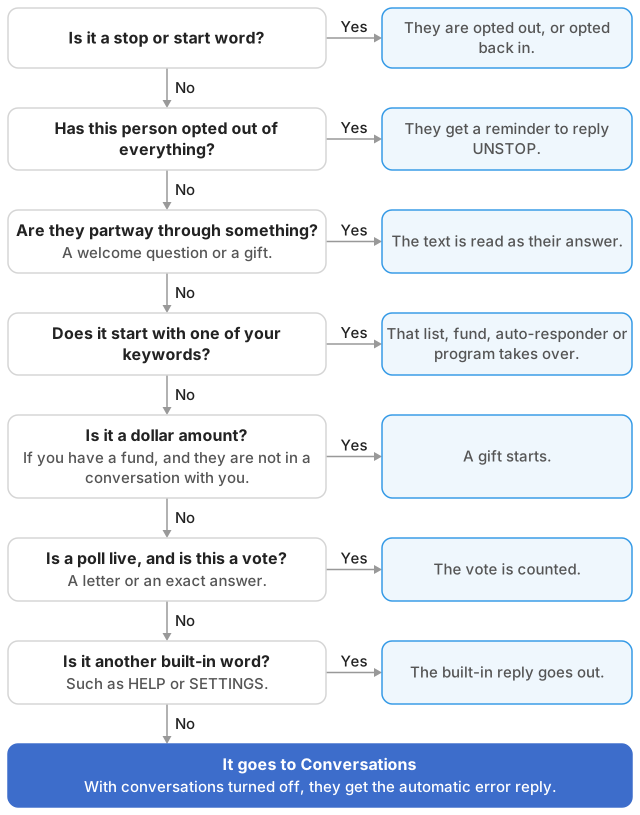
- Stop and start words. These always come first, so nothing can get in the way of someone opting out.
- People who have opted out of everything. They get a reminder to reply UNSTOP, and nothing else happens.
- Something already in progress. If the person is answering a welcome question or finishing a gift, the text is read as their answer.
- Your keywords.
- A dollar amount. A text such as 25 or $25 starts a gift, if your number has a fund and the person isn't in a conversation with you.
- A poll vote. If a poll is live, a letter or an exact answer counts as a vote.
- Other built-in words, such as HELP.
- Everything else goes to Conversations. If conversations are turned off, the person gets this reply: "Sorry, I didn't understand your command. For a list of options, say HELP. To stop receiving messages, say STOP."
The automatic "I'm driving" replies that some phones send are recorded and otherwise ignored, so they don't set off a keyword or land in your inbox.
