

How do I… Credits and pricing
 Get More Credits
Credits come with your plan each billing period. To get more each month, move to a larger plan. Going over on a paid plan won't stop your messages.
On a paid plan
- Open Account & Billing from the side menu or your account menu.
- Under Billing, press
 Pricing Plan.
- Press the plan you want. Each one shows its price, message credits, Additional messages rate and phone numbers.
- Press Change pricing plan.
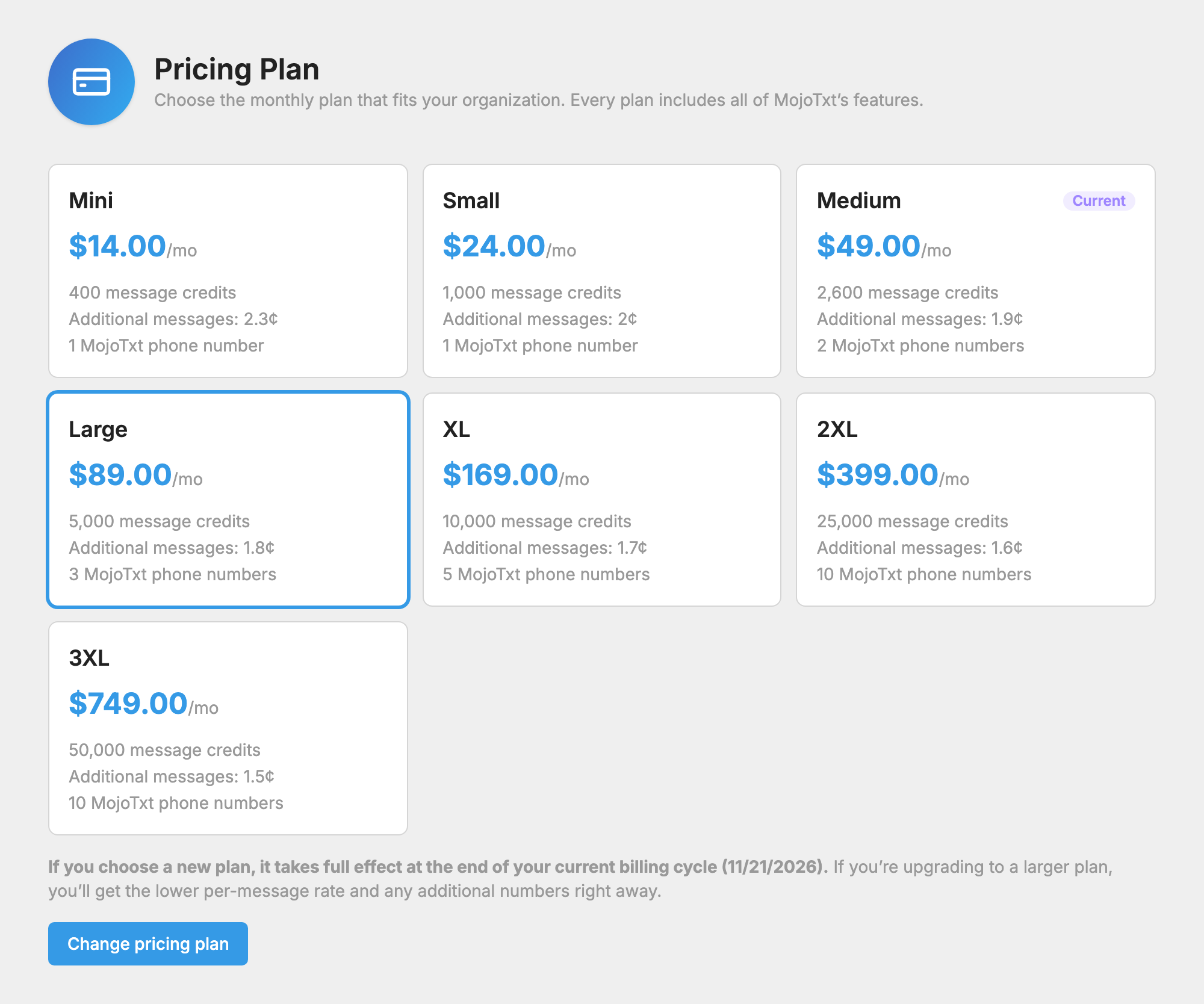
Your new plan's monthly price and credits start with your next bill. Its Additional messages rate applies right away, and that rate also prices any extra messages from your current cycle. Moving to a larger plan lowers that rate, and moving to a smaller plan raises it.
You can also move to a smaller plan the same way. If your account is inactive, reactivate it first.
On a free trial
- On your dashboard, find the Free Trial card and press Upgrade Account.
- Select a plan.
- Enter your card details.
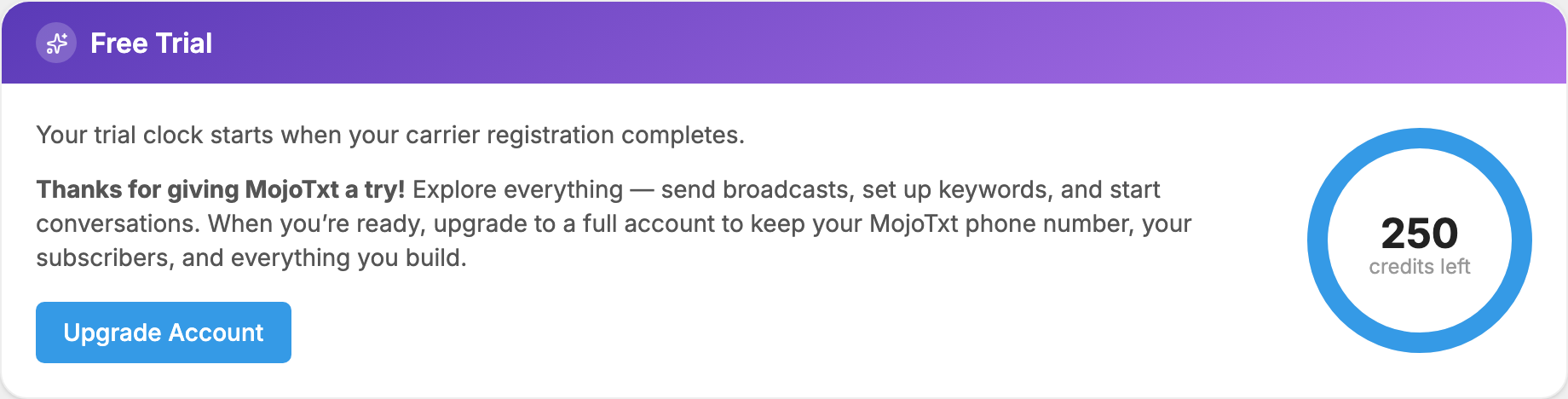
Your plan starts right away, and you keep any unused trial credits.
If you run out before your next bill
On a paid plan, your messages keep sending. A banner tells you when you've used all your prepaid credits, and the extra messages are billed automatically at the end of your billing cycle, at your plan's Additional messages rate. If that happens most months, a larger plan may cost less.

There is no separate button to buy a block of credits in the app. Contact support if you have a one-time need.
Check how many you have
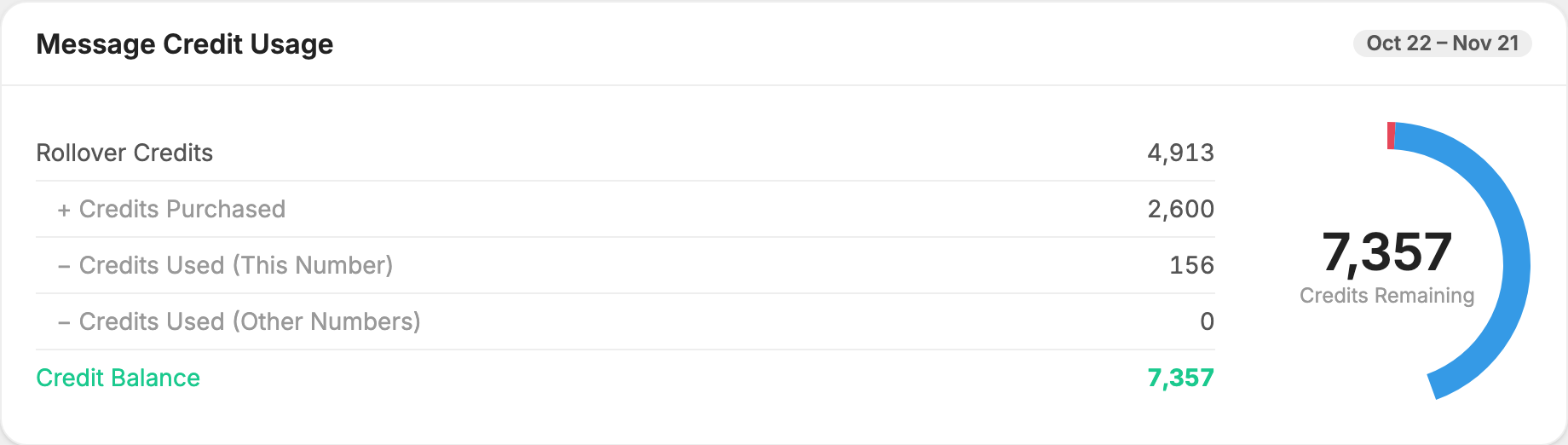
Your dashboard shows Message Credit Usage, including your Credit Balance. Unused credits carry over from one billing period to the next as Rollover Credits.
If you often run short, shortening your messages helps. A message over 160 characters costs twice as much, and one with an emoji can get there at 71 characters. See Credits and Message Length.
