Your account
 Cancel or Reactivate
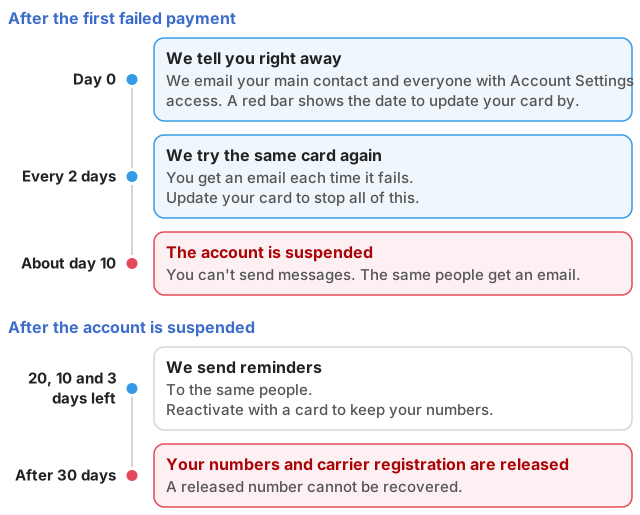
You can close your account at any time and reactivate it later. The thing to watch is the clock on your phone numbers: they are released 30 days after an account closes, and a released number cannot be recovered.
You need Account Settings access for both. See Users and Access.
Before you cancel
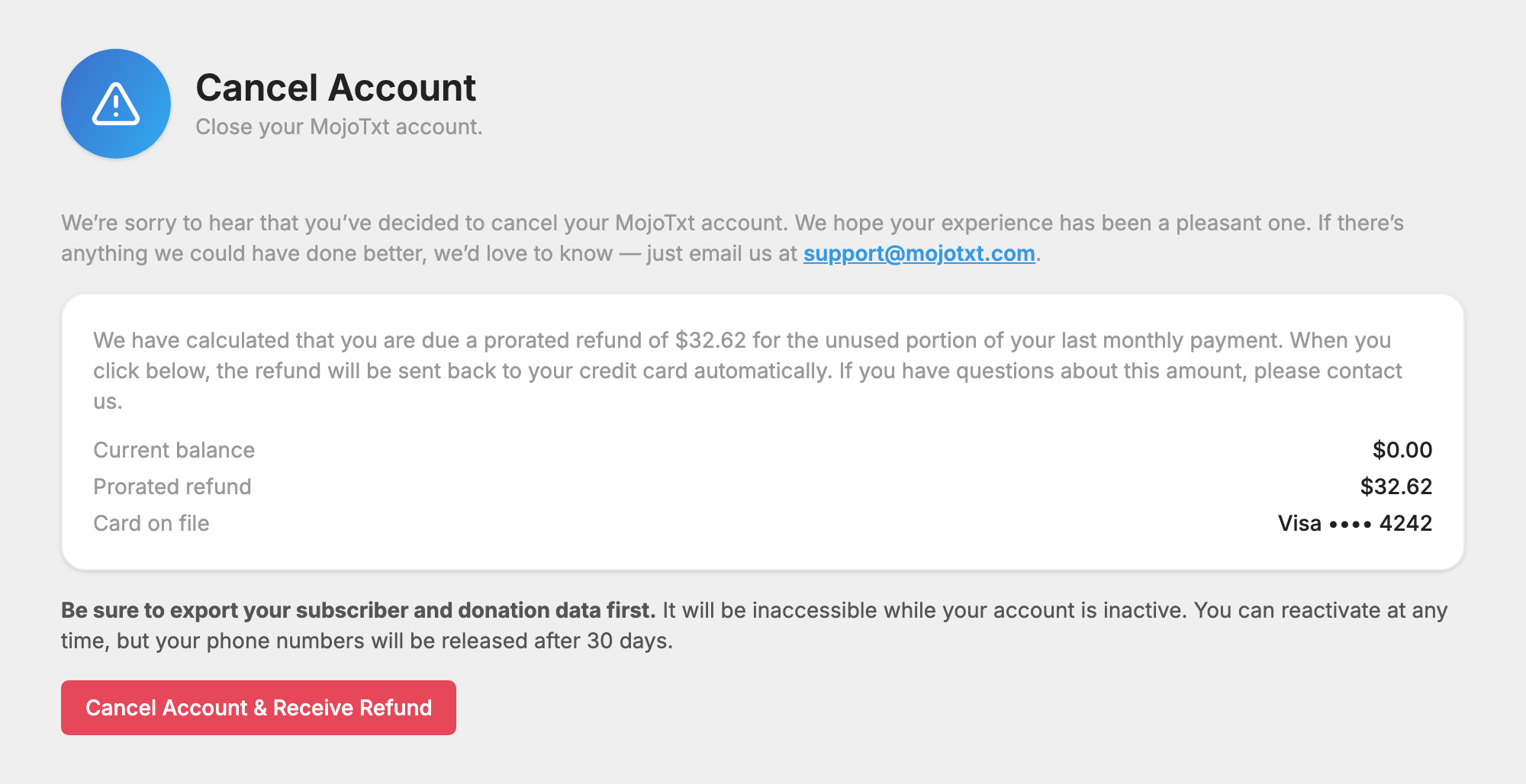
Export your subscriber and donation data first. It is not available while your account is inactive.
- To export your people, use Export on the
 People page.
- To export gifts, open a fund and use Export CSV on its transactions. See
 Donations.
Cancel your account
- Open Cancel Account under Billing in Account & Billing.
- Check the amounts on the page. It shows your Current balance and Card on file, and either a Prorated refund or an Amount due to close.
- Press the red button. It reads Cancel Account, Cancel Account & Receive Refund, or Cancel Account & Pay and the amount.
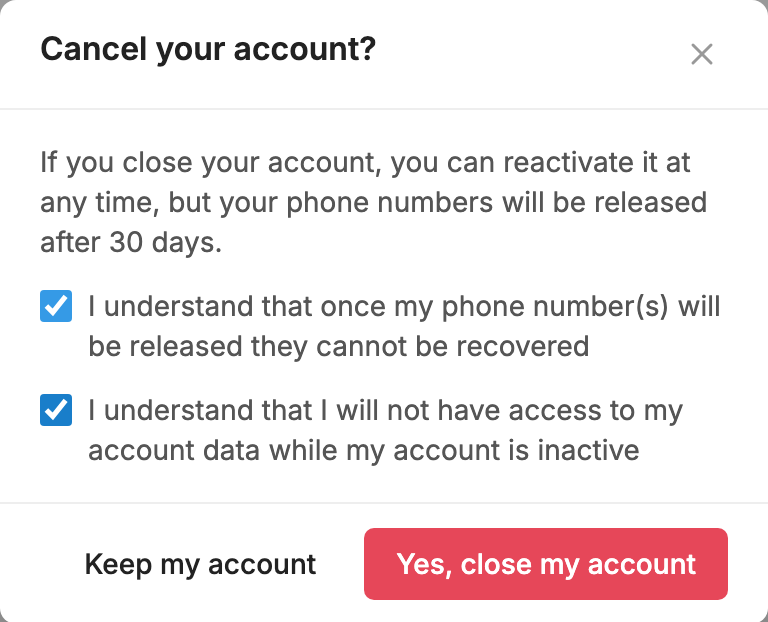
- Tick both boxes to confirm you understand what happens to your numbers and data.
- Press Yes, close my account. If you change your mind, press Keep my account.
The account closes right away.
What you pay or get back
We work this out for you and show the exact amount before you confirm.
- A prorated refund is for the unused portion of your last monthly payment. It goes back to your credit card automatically when you cancel.
- An amount due covers overage charges or a past due balance. It is billed to your credit card when you cancel.
If you have questions about the amount, contact us before you cancel. If we can't process the closing amount, your account still closes and we follow up by email.
What happens after you cancel
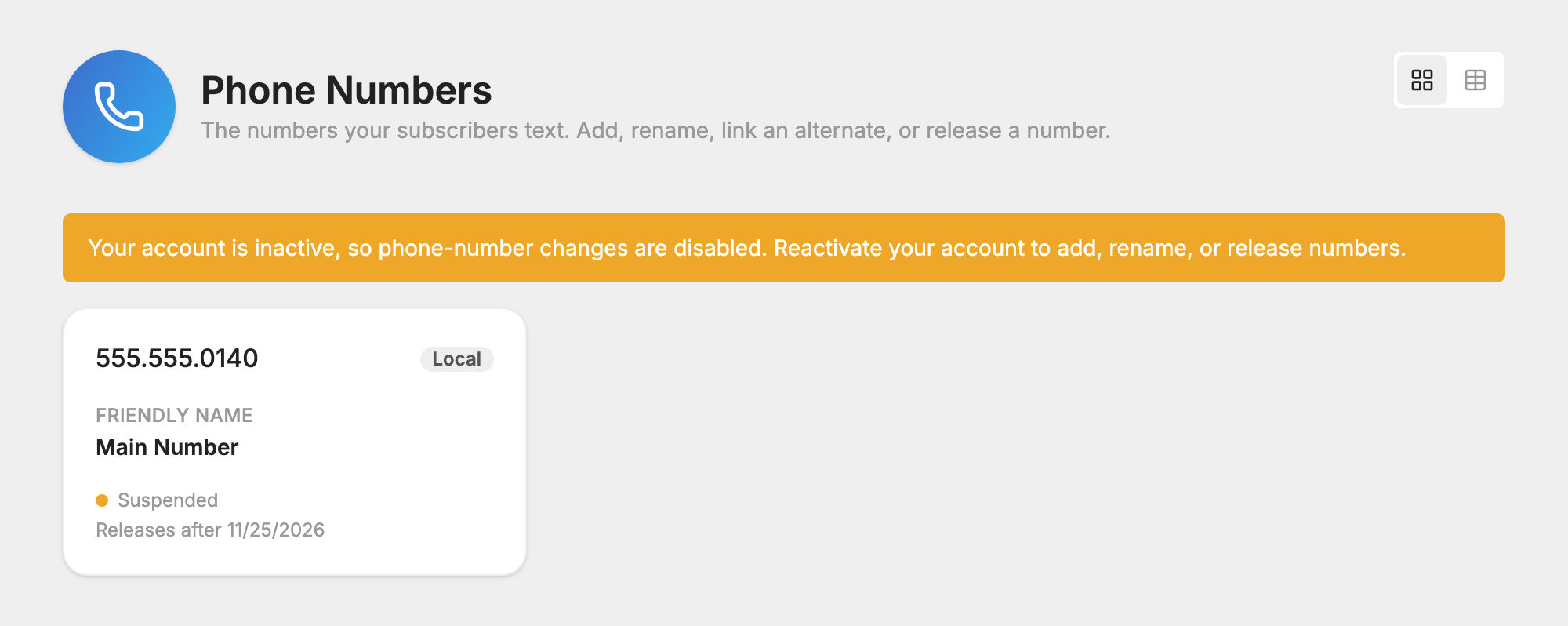
- Your account becomes inactive. You can still log in, and a bar at the top of the page offers to reactivate it. You can't send messages, and your account data isn't available.
- Your numbers show as Suspended. The
 Phone Numbers page shows Releases after and the date.
- A carrier registration still in progress is cancelled. One the carriers have already approved stays for 30 days.
- After 30 days, your numbers are released and any approved carrier registration ends. A released number cannot be recovered.
Reactivate your account
This works for an account you cancelled and for one suspended after a failed payment.
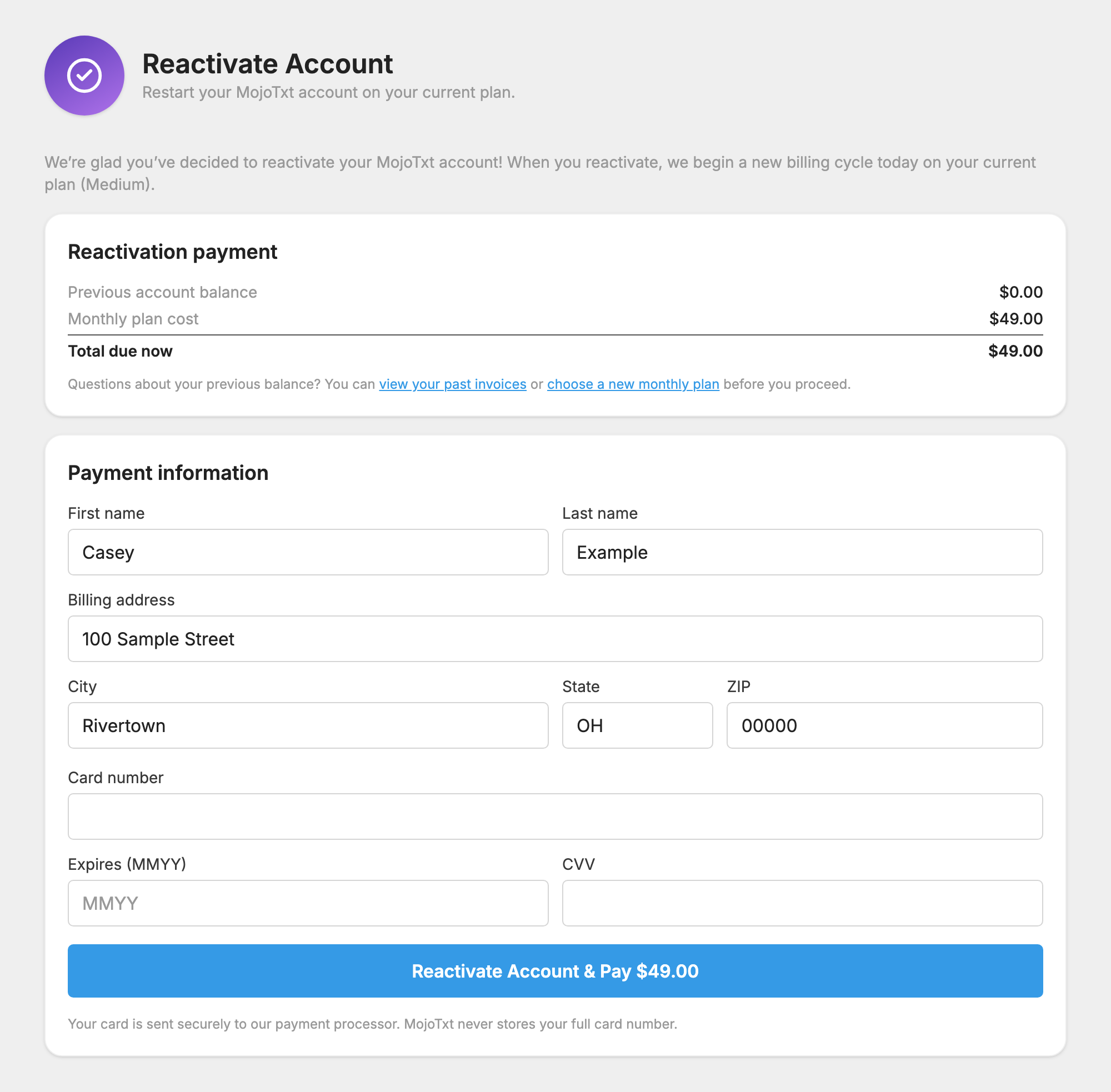
- Log in, and press Reactivate it in the bar at the top of the page. You can also go straight to Reactivate Account.
- Check the Reactivation payment box. It lists your Previous account balance, Monthly plan cost, any Extra phone numbers, and the Total due now.
- Enter your card under Payment information.
- Press Reactivate Account & Pay and the amount. If nothing is due, the button reads Reactivate Account.
We begin a new billing cycle that day on your current plan, and your numbers are ready to use again.

A free trial that has ended doesn't reactivate. Upgrade to a paid plan instead, as Account & Billing explains.
If a number was already released
The old number is gone, but its data isn't. After you reactivate, open Phone Numbers, find the number marked Released, and press Restore to new number…. Pick a new number and we move the released number's keywords, subscribers and settings onto it.
People who text the old number won't reach you, so tell them your new number. A new number needs a new registration, which goes through carrier review again. See  Carrier Registration.
If your account was suspended for a failed payment, see If a payment fails for the dates and reminders.