

How do I… Donations
 Accept Donations by Text
People can give to your organization by texting your MojoTxt number. Your number needs a completed carrier registration before it can reply to anyone.
Connect a payment service
Your payment service charges your donors, stores their payment information, and deposits the money in your bank account. MojoTxt works with Stripe, Nelnet Payment Services (formerly PaymentSpring) and BluePay. See Choose a Payment Service.
Until a service is connected and test mode is turned off, donations are simulated and nothing is charged. You can set up your funds first and go live later.
Create a fund
- If you have more than one number, make sure the right one is selected.
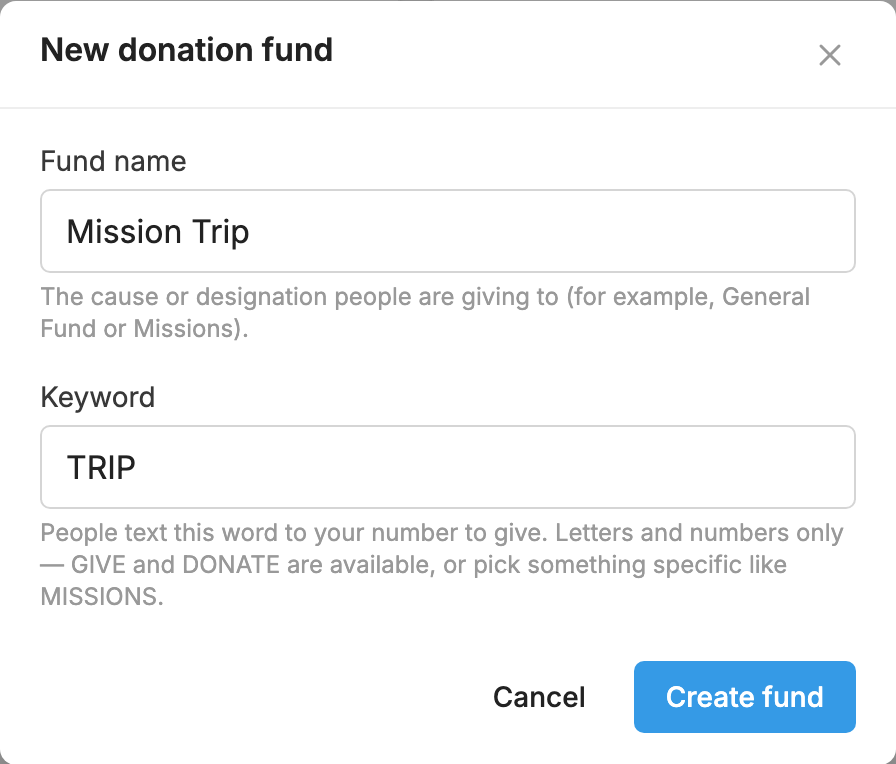
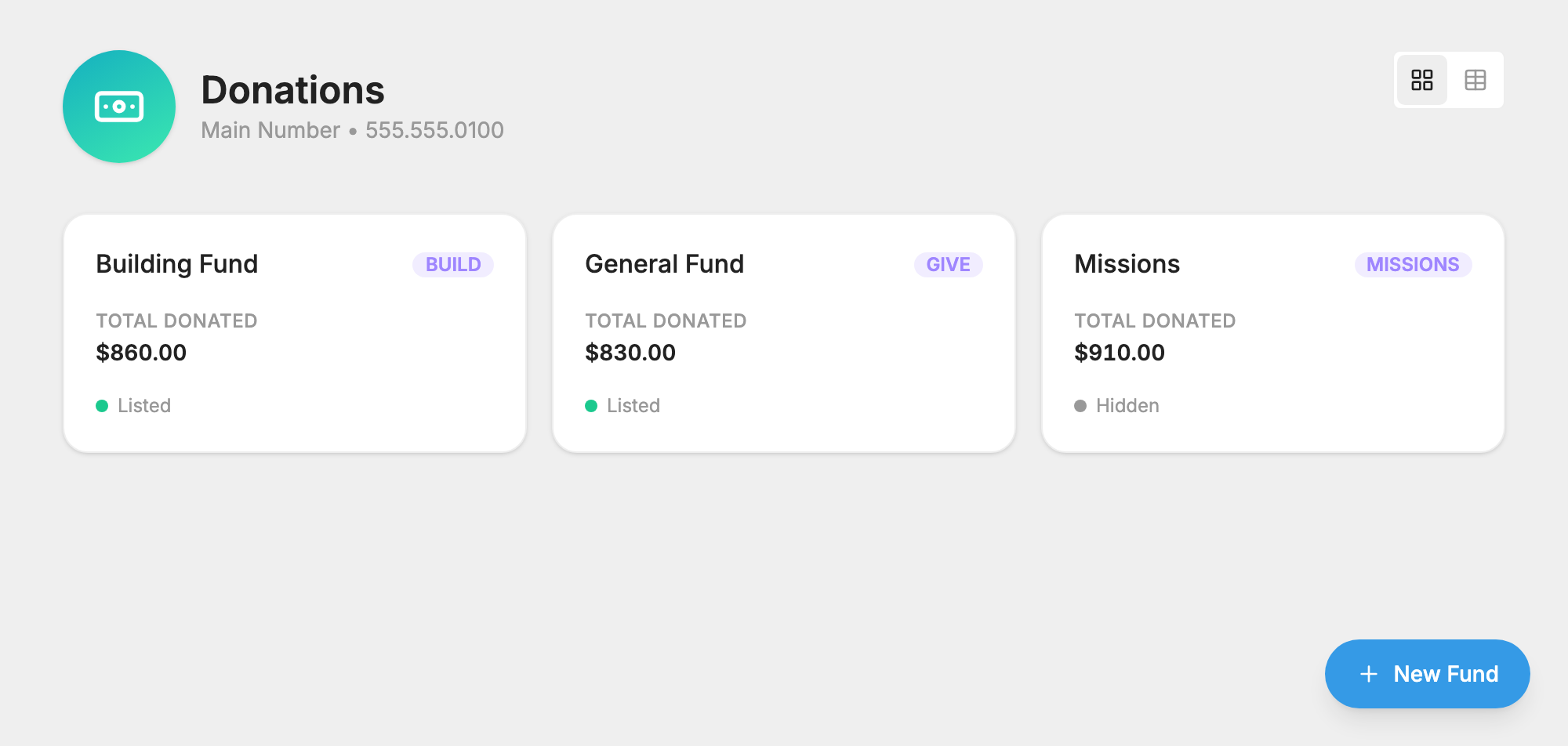
- Open Donations and press New Fund.
- Type a Fund name, such as General Fund or Missions.
- Type a Keyword. This is the word people text to give. You can use GIVE or DONATE, or something specific like MISSIONS.
- Press Create fund.
Choose your settings
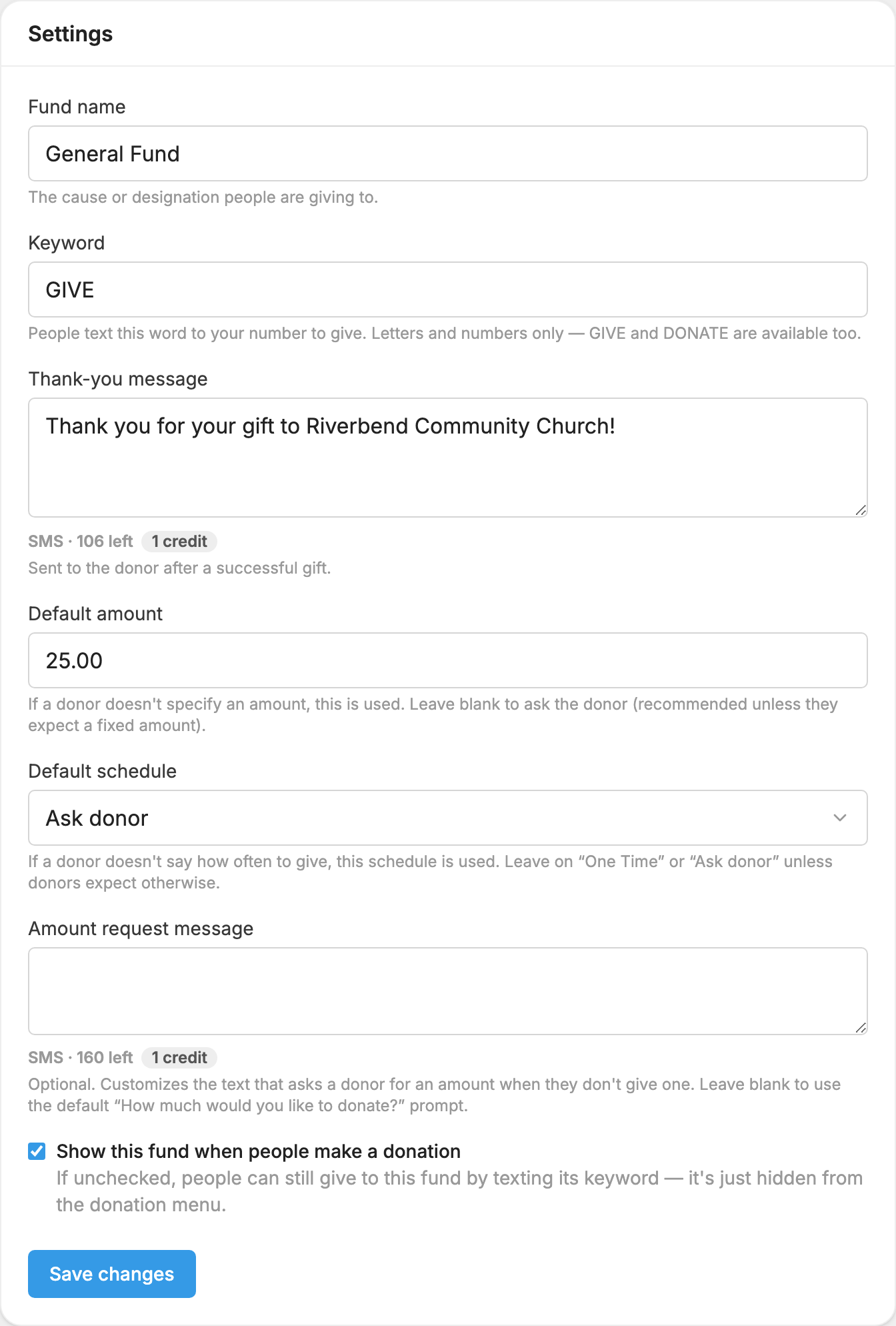
These are optional. Open the fund and press its  Settings tab.
- Thank-you message: sent to the donor after a successful gift.
- Default amount: used when a donor doesn't give an amount. Leave it blank to ask them.
- Default schedule: used when a donor doesn't say how often to give. Choose Ask donor to ask them. See Accept Repeating Donations.
- Amount request message: changes the text that asks for an amount.
- Show this fund when people make a donation: uncheck this to hide the fund from the list of funds. People can still give by texting its keyword.
What your donors do
Once your number is registered, a donor texts the keyword, and can add an amount and a schedule. For a keyword of GIVE, any of these work:
- GIVE
- GIVE 10 or GIVE $10.00
- GIVE 100 WEEKLY
The schedule words are ONCE, WEEKLY, BIWEEKLY and MONTHLY. If anything is missing, MojoTxt asks for it. A donor can also text an amount on its own, or the word GIVE or DONATE even if you have no keyword by that name, and MojoTxt asks which fund if you have more than one. Gifts by text can be between $1 and $5,000.
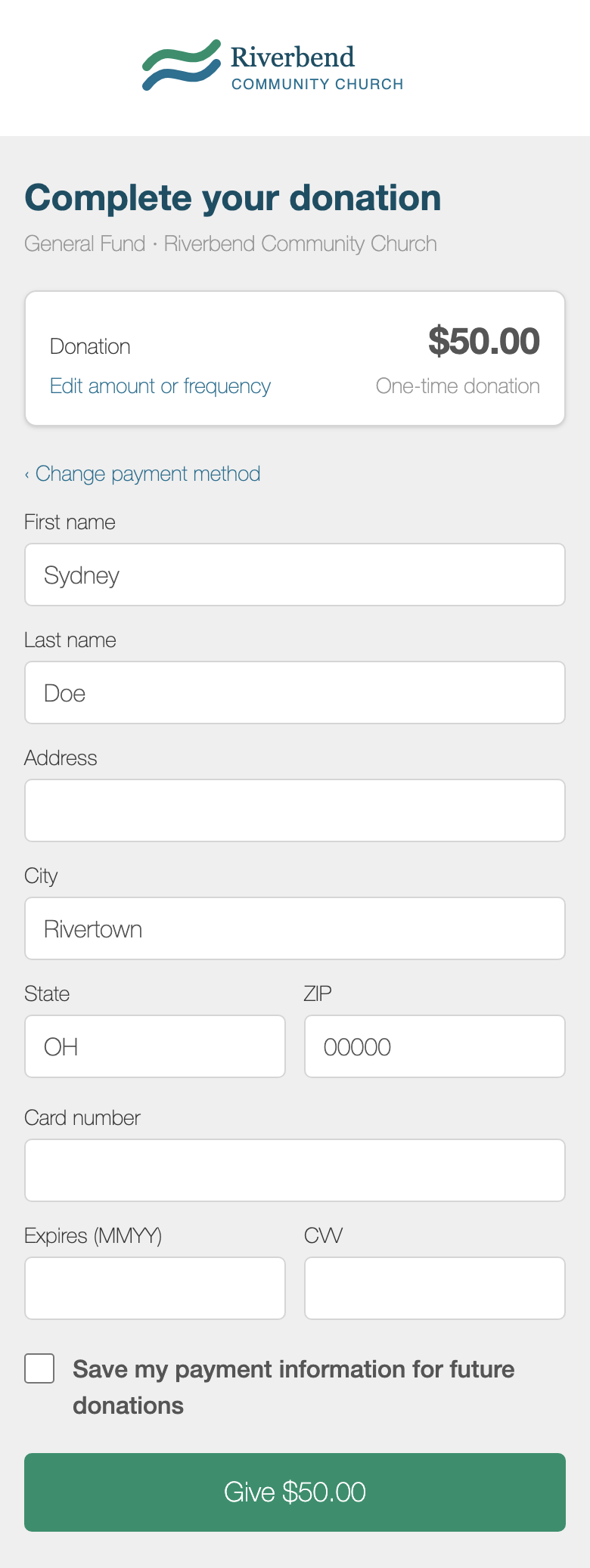
First-time donors get a link to a secure payment page. You can add your logo and colors to this page from  Branding.
Returning donors with saved payment information can finish by text. They reply:
- CONFIRM to give with their saved payment information.
- CHANGE to use a different card or account.
- EXIT to end the donation.
If someone stops partway through, they get a reminder text to finish.
For more detail, see Donations.
