

How do I… Account and support
 Cancel Your Account and Get a Refund
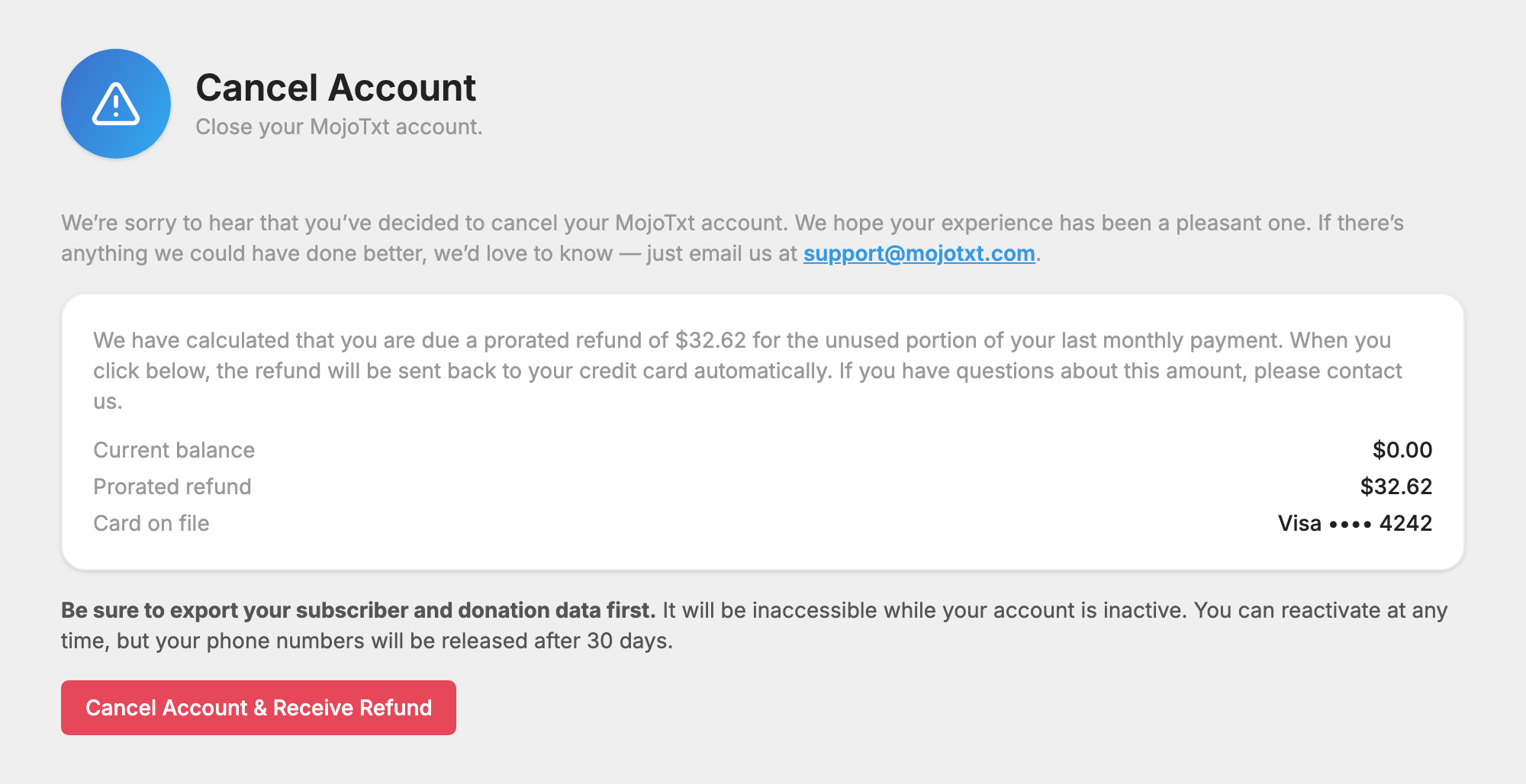
When you cancel, we refund the unused portion of your last monthly payment. The page shows the exact amount before you confirm.
Cancel your account
- Export your people and your donations first. Your data isn't available while your account is inactive.
- Open
 Cancel Account under Billing in Account & Billing.
- Check the amounts on the page. It shows your Current balance, Card on file, and either a Prorated refund or an Amount due to close.
- Press the red button. It reads Cancel Account, Cancel Account & Receive Refund, or Cancel Account & Pay and the amount.
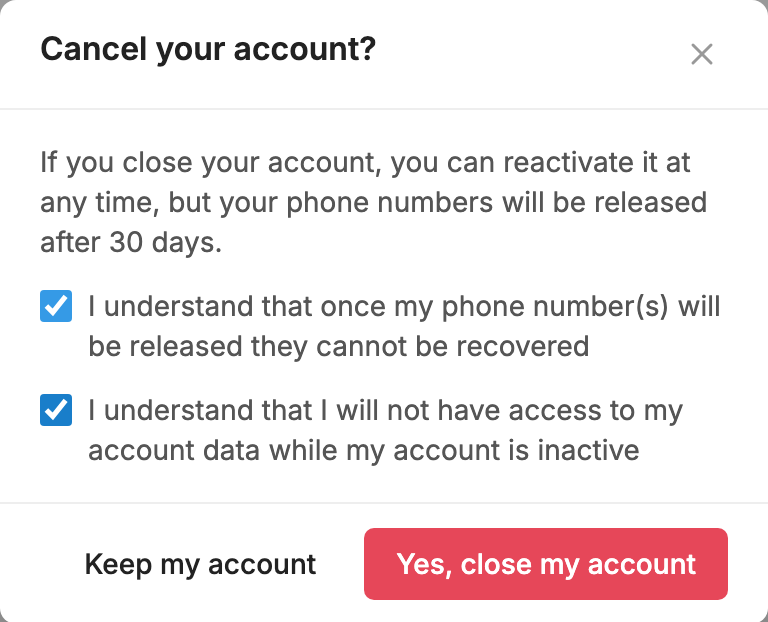
- Check both boxes to confirm you understand what happens to your numbers and your data.
- Press Yes, close my account.
Your account closes right away. If a reseller manages your account, ask them to cancel it for you. They handle your billing too.
How your refund is worked out
We work out two amounts for your last monthly payment:
- Time: the share of your billing cycle that is left.
- Credits: the share of your plan's credits you still have.
Your refund is the smaller of the two. Any balance you owe comes off it. A refund is never more than your last payment.
If you have used more credits than your plan and rollover credits cover, or you have a past due balance, you may owe a payment instead. The page shows that amount too, and it is charged to your card when you cancel.
The refund goes back to your credit card automatically. If we can't process a refund or a payment, your account still closes and we follow up by email.
Have a question about the amount? Email support@mojotxt.com before you cancel.
When there is no refund
Under our Terms of Use, an account closed for violating our policies, such as sending unsolicited text messages, may be closed without a refund.
What happens to your phone numbers
Your phone numbers are released 30 days after your account closes. Once a number is released, it can't be recovered. If you reactivate within 30 days, you keep your numbers.
Come back later
Log in and go to Reactivate Account. You pay any balance, your monthly plan cost and any extra phone numbers, and a new billing cycle begins that day. See Cancel or Reactivate.
