

How do I… Delivery problems
 Opting Back In After STOP
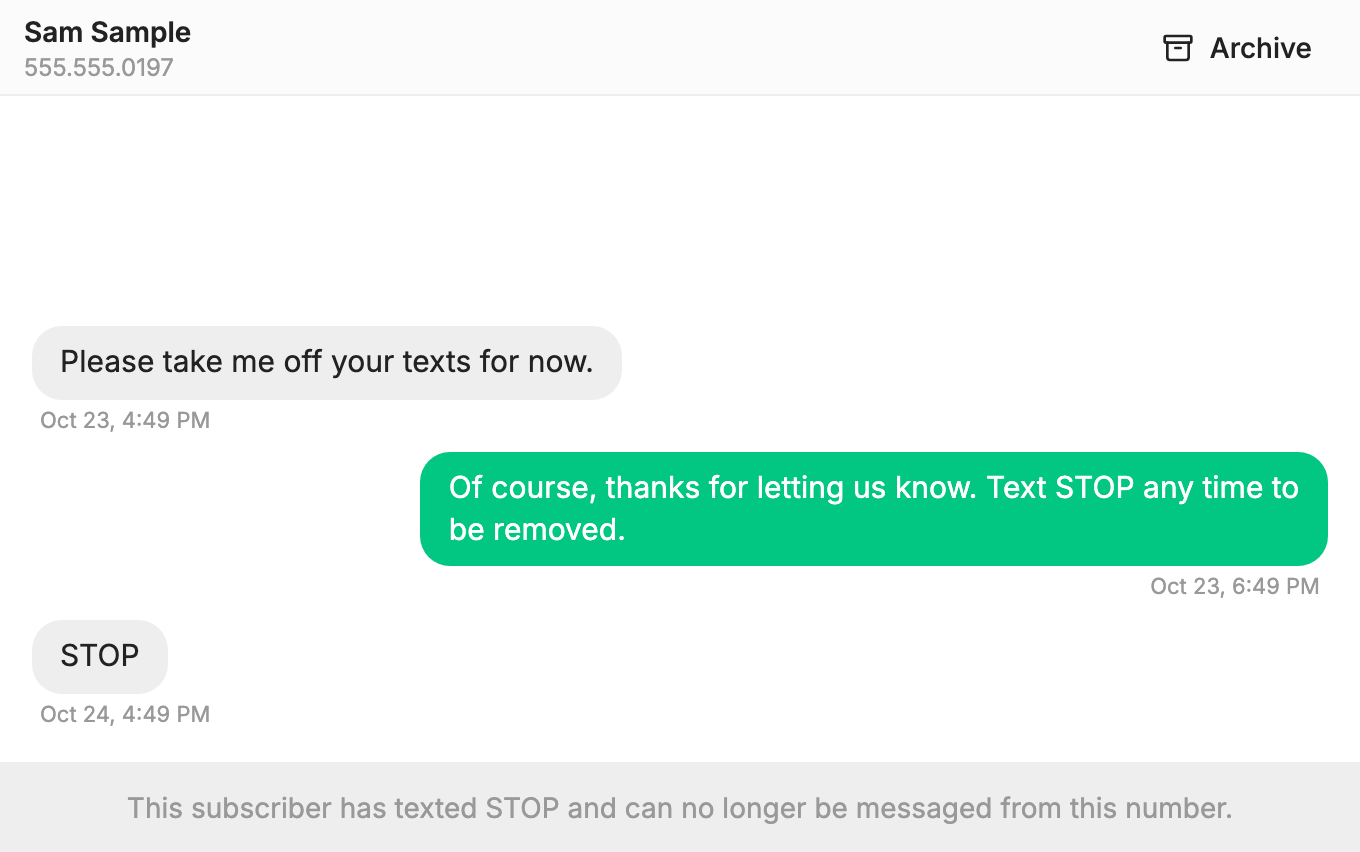
When someone texts STOP, only that person can turn your messages back on. They do it by texting one word from the same phone. Nobody at your church can do it for them, in the app or by adding them again.
What STOP does
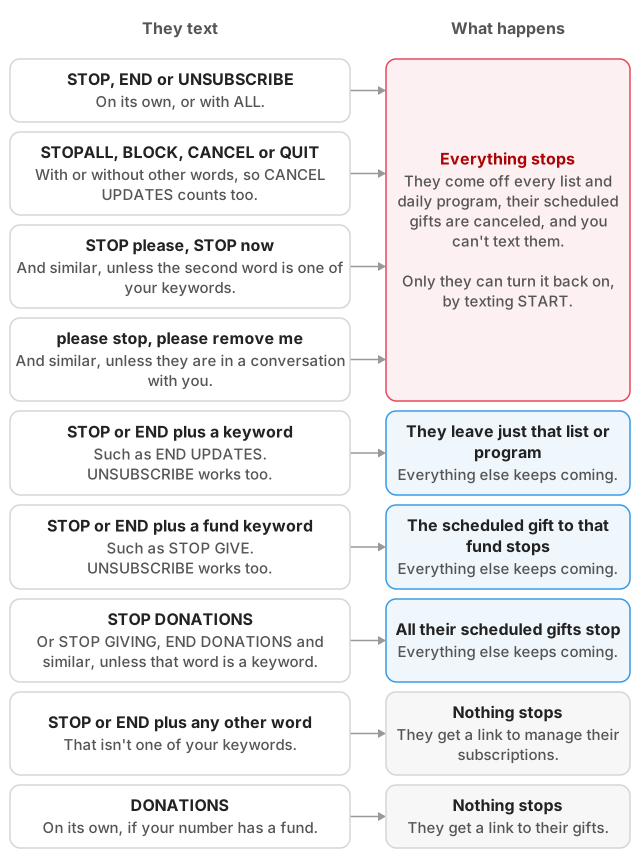
When someone texts STOP to your number:
- They are taken off every list and daily program on that number.
- Any repeating donations they set up on that number end.
- Nothing more can be sent to them from that number, including replies in
 Conversations.
- They get a text saying they were unsubscribed and can reply UNSTOP to receive messages again. On a toll-free number, the phone company sends its own reply instead.
The same thing happens with STOPALL, UNSUBSCRIBE, END, CANCEL, QUIT and BLOCK. It applies only to the number they texted. If your account has another number, that number is not affected.
How they get back on
Give the person these steps:
- From the phone that sent STOP, text START to your number. UNSTOP and UNBLOCK work too, and capital letters don't matter.
- Wait for the reply, which begins with your name: "You are opted back in. Reply SETTINGS to manage your subscriptions, STOP to opt out. Msg & data rates may apply."
- Join each list again. This step matters, because opting back in only lifts the block. It does not put them back on any list. They can text the list's keyword, or reply SETTINGS and tap the link to choose their lists.
- Rejoin any daily program by texting its keyword. A repeating donation has to be set up again.
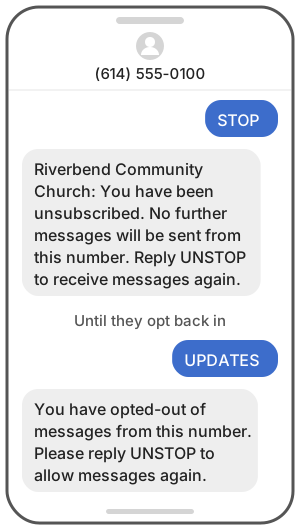
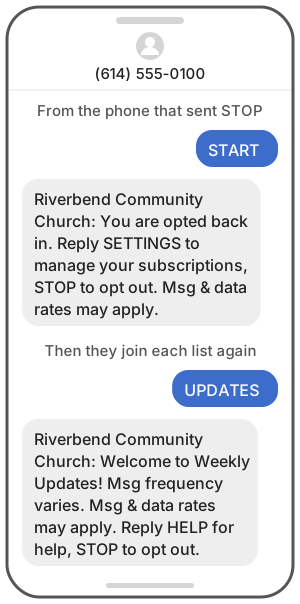
Until they do this, a keyword won't work for them. Anything else they text gets this reply: "You have opted-out of messages from this number. Please reply UNSTOP to allow messages again." On a toll-free number they get no reply at all, which can look like your keyword is broken.
If they try your sign-up form first, it tells them they've opted out and to text UNSTOP, then try again.
Put them back on a list for them
Once the person has opted back in and asked to be on a list, you can add them yourself:
- Open
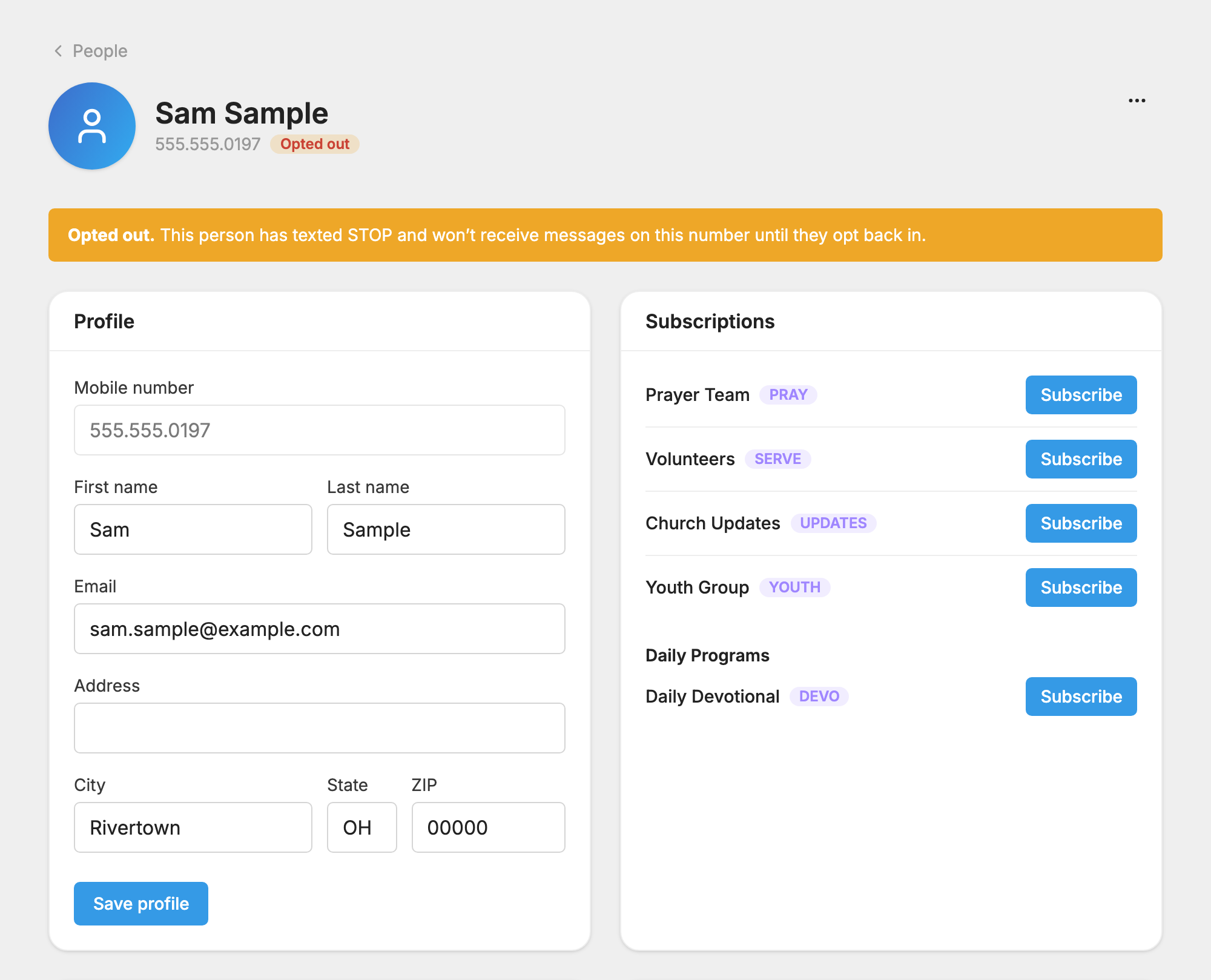
 People and find the person. The Opted out badge should be gone.
- Under Subscriptions, press Subscribe next to each list or daily program they asked for.
What your church can and can't do
You can:
- See that someone opted out. Their page in People shows an Opted out badge and says they won't receive messages on this number until they opt back in.
- Keep their name, tags and history. Opting out doesn't remove them from People.
- Ask them, in person or by email, to text START to your number.
You can't:
- Turn their messages back on. There is no button for it.
- Press Subscribe for them. The app refuses and says they have opted out.
- Put them on a list with an import, Add member or the Subscribe to list action. They are skipped.
- Send them a message. Message sends leave them out, and Conversations won't let you reply.
If they left only one list
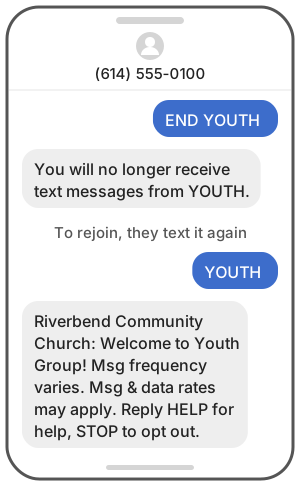
Texting STOP or END plus a keyword, such as END YOUTH, removes the person from that one list or program. Everything else keeps coming. Their page shows no Opted out badge in this case, but pressing Subscribe for that list is still refused.
To rejoin, they text the keyword again, or reply SETTINGS and subscribe from the link.
Find out who has opted out
There is no single list of everyone who opted out, and exports don't show it. You can check one person on their page in People.
On a list's Members tab, an Opted out badge means the person asked to stop, and only they can undo that. An Inactive badge means they aren't getting that list's messages for another reason: their texts stopped being delivered, or they opted back in without rejoining the list.
If messages still don't reach them
- The Message Log shows Recipient Opted Out. The phone company is still blocking messages to this person. Ask them to text START to your number.
- They never texted STOP. After 5 undeliverable messages in a row, a person can be unsubscribed automatically. See Why a Message Did Not Reach Someone.
- Their page shows Blocked. That means someone at your church blocked the number. Open the actions menu on their page and choose Unblock Person.
