

How do I… Lists and sign-ups
 Let People Manage Their Own Settings
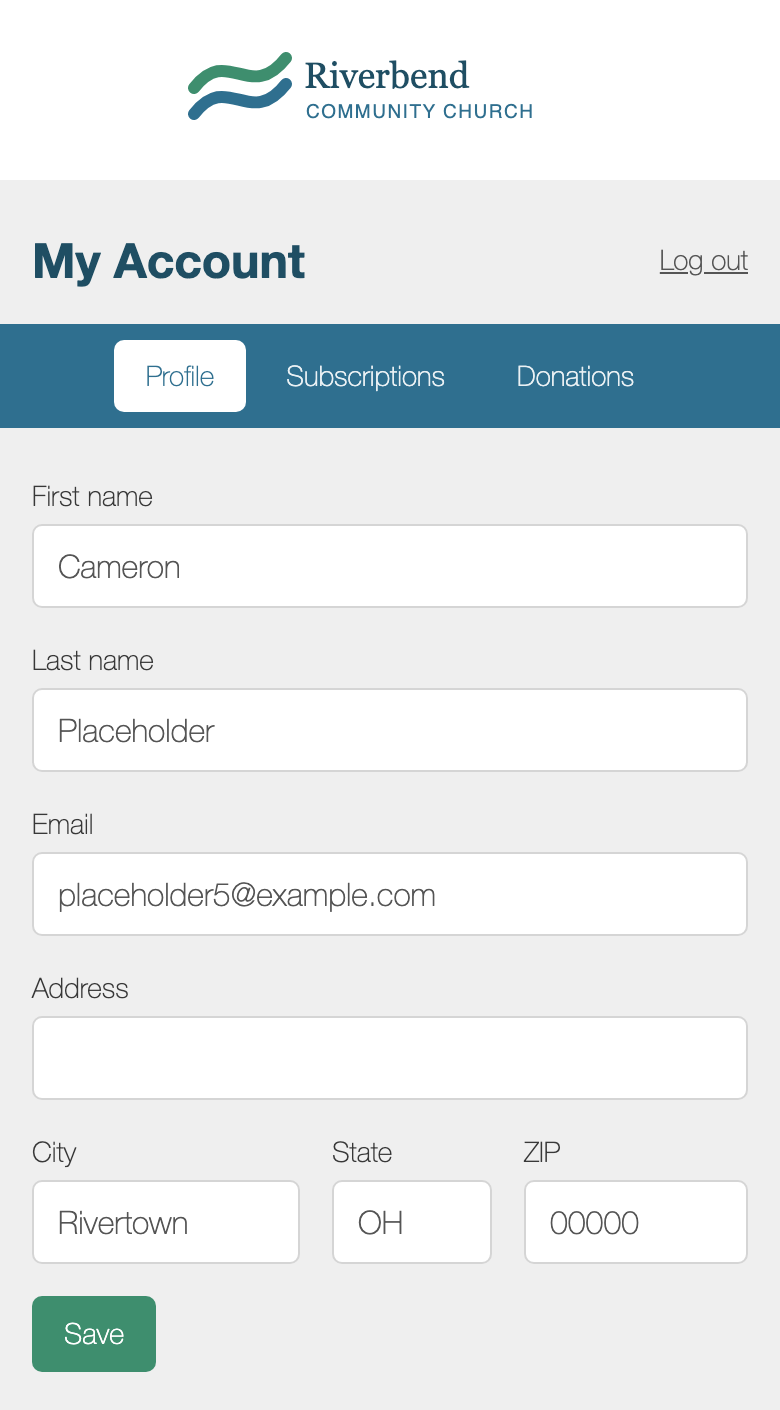
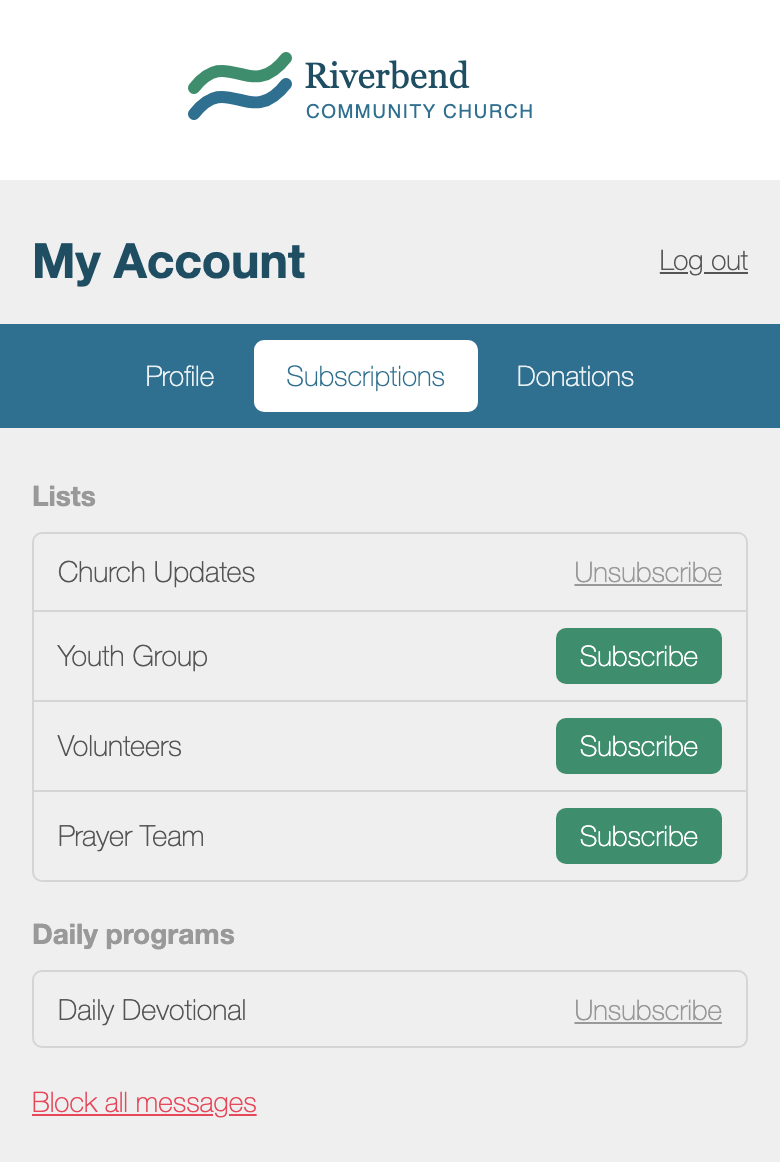
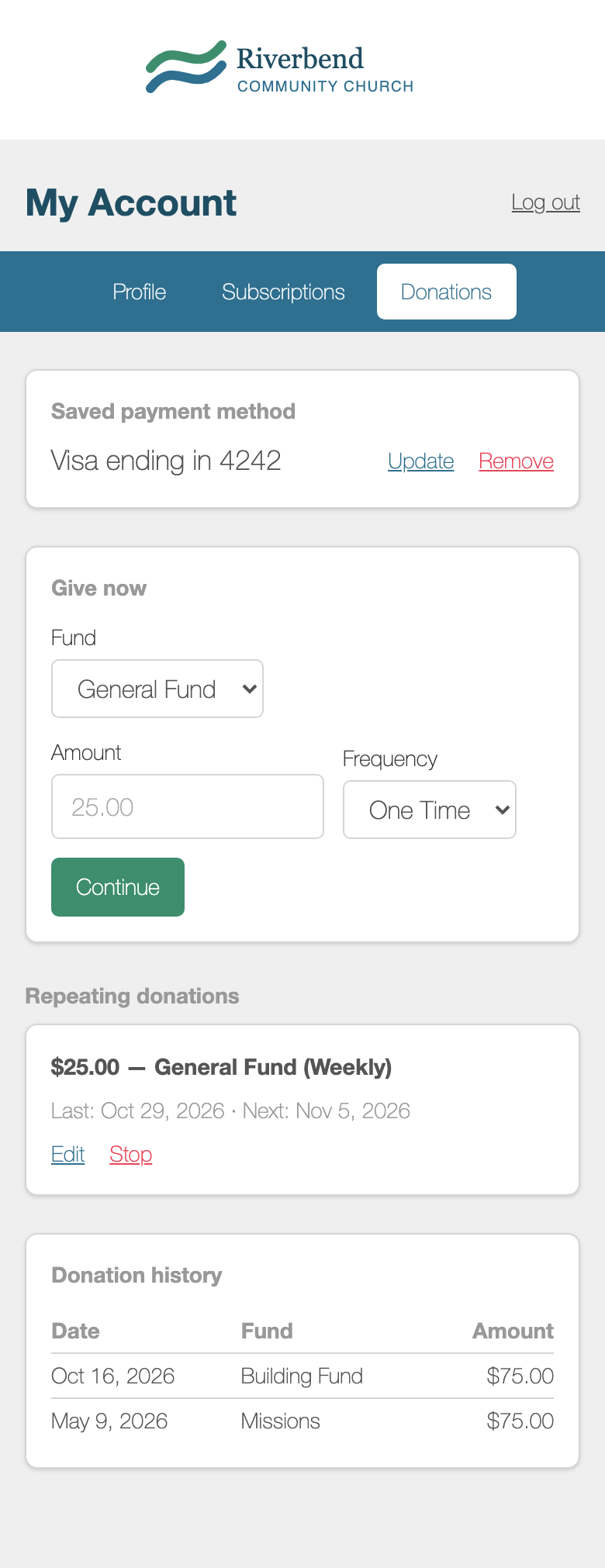
Everyone who texts your number has a settings page of their own, called My Account. They don't need a login. They get a private link by text, and from there they can manage their own information.
What people can do on this page
- Profile: update their name and contact information.
- Subscriptions: choose which subscription lists and daily programs they receive.
- Donations: make a gift, change or stop a repeating gift, update a saved payment method, and see their giving history.
The  Donations tab appears when your number has a donation fund, or when the person already has gifts on file.
How people get to the page
Anyone can text one of these words to your number:
- SETTINGS sends a link to the page.
- PROFILE sends a link to the Profile tab.
- SUBSCRIPTIONS, SUBSCRIBE or JOIN sends a link to the Subscriptions tab.
- DONATIONS sends a link to the Donations tab.
- DONATE or GIVE starts a donation by text.
The donation words work only when your number has a donation fund. You can use any of these words as your own keyword, and your keyword then takes its place.
You can also put the link in a message or automation. Under Add a link (optional), choose Their profile / settings.
STOP doesn't open this page
STOP and UNSUBSCRIBE aren't settings words. If someone texts either one, MojoTxt stops all messages from your number to that person right away. They come off every list and daily program, and any repeating gifts on that number end. CANCEL, END, QUIT, STOPALL and BLOCK do the same thing. None of these words can be used as a keyword.
To leave one list and keep everything else, a person can text END or STOP followed by that list's keyword, such as END YOUTH. To learn how someone can come back after STOP, see Opting Back In After STOP.
Hide something from this page
- A list: on the list's
 Settings tab, uncheck Show this list in subscribers' settings. People already on the list still see it.
- A daily program: on the program's Settings tab, uncheck Let people subscribe from their settings.
- A donation fund: on the fund's Settings tab, uncheck Show this fund when people make a donation.
People can still join a hidden list or program, or give to a hidden fund, by texting its keyword.
Logo and colors
This page uses your number's logo and colors. To change them, see  Branding.
