

How do I… Auto-responders and programs
 Create an Auto-Responder
An auto-responder sends an automatic reply when someone texts a keyword to your number. The reply can hold details about an event, a link to a form, or almost anything else. You can include a link and see who followed it.
Your number needs a completed carrier registration before it can reply.
Create it
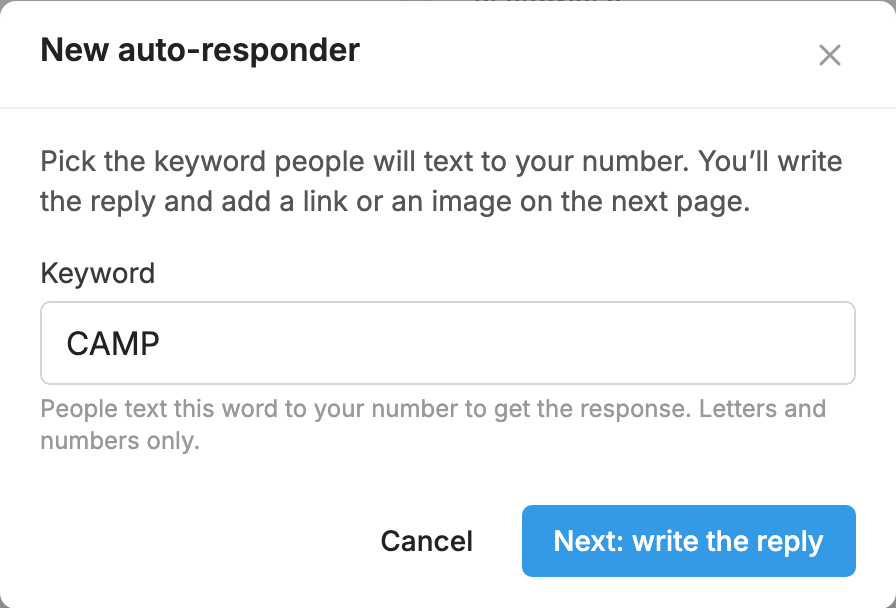
- Open Auto-Responders and press New Auto-Responder.
- Type the Keyword people will text. Use letters and numbers only.
- Press Next: write the reply.
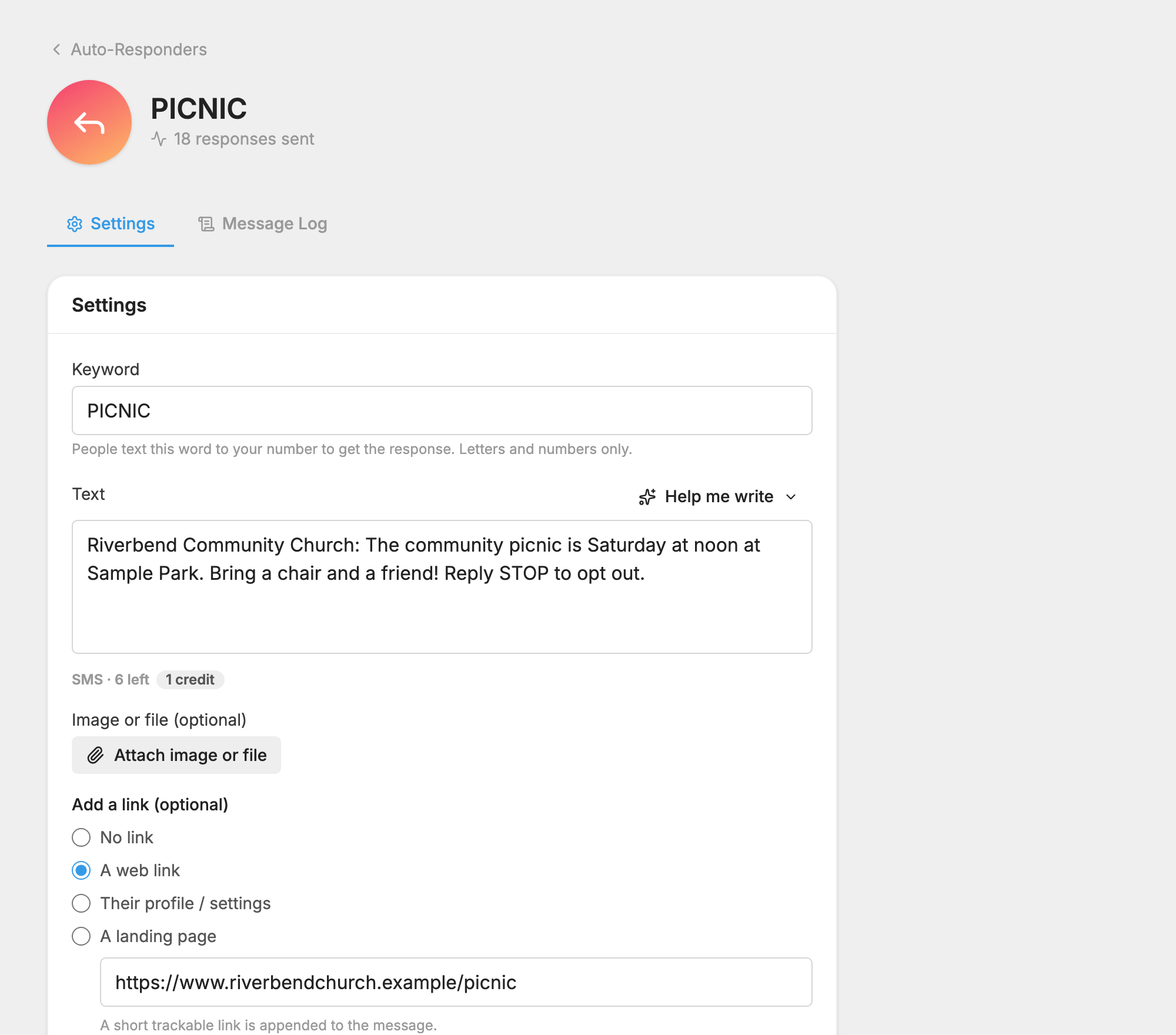
- Type your reply in the Text box.
- If you want, add a picture or file, and choose a link under Add a link (optional).
- Press Save changes. Until you save a reply, texting the keyword gets no response.
Try it out
Once your number is registered, text the keyword to your MojoTxt number. You should get your reply back.
Each reply uses credits like any other message.
What to do next
- Change an Auto-Responder's Settings, such as an expiration date or a once-per-person limit.
- See Who Followed an Auto-Responder Link.
- Collect Form Information with a link to a web form.
For the whole picture, see Auto-Responders.
